Create Component
The platform supports creating custom components by importing an OpenAPI Schema to define the interface. This lets you wrap any HTTP service as a component callable from workflows.
Go to Component Center → My Components, click the Create My Component button in the top left, and a creation panel will appear on the right.
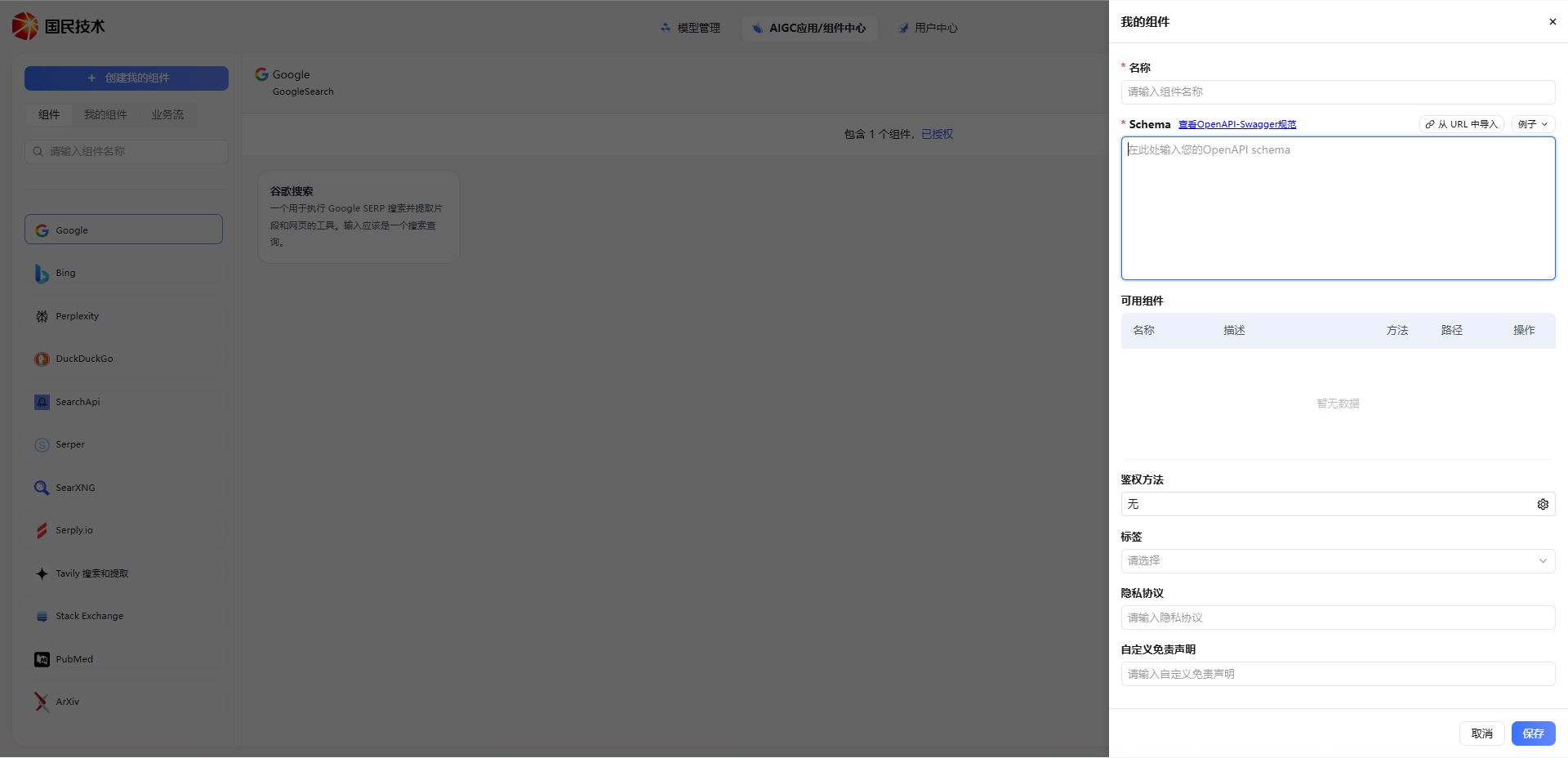
Configuration
| Field | Required | Description |
|---|---|---|
| Name | Yes | Display name for the component; keep it concise and recognizable |
| Schema | Yes | Interface description conforming to OpenAPI-Swagger spec; used to parse the available component list |
| Auth Method | No | Authentication method when calling this component; defaults to None |
| Tags | No | Add classification tags for easier management and search |
| Privacy Policy | No | Link or description of the privacy policy for this component's service |
| Custom Disclaimer | No | Disclaimer content to display when using this component |
Filling in the Schema
The Schema field requires JSON or YAML content conforming to the OpenAPI-Swagger spec. The system automatically parses it into an Available Components list showing each interface's name, description, request method, and path.
Two import methods are supported:
- Manual entry — Paste the OpenAPI Schema content directly into the input box
- Import from URL — Click Import from URL, enter the online address of the Schema file, and the system fetches and fills it automatically
Tip: If you're unfamiliar with OpenAPI spec, click the View OpenAPI-Swagger Spec link next to the Schema field for official documentation, or refer to the Example on the right for a quick format overview.
Auth Methods
| Method | Description |
|---|---|
| None | No authentication required; call directly |
| API Key | Include a key in the request header or parameters |
| Bearer Token | Include Authorization: Bearer <token> in the request header |
| Basic Auth | Authenticate with username and password |
Save & Use
After configuration, click Save. The component will appear in the My Components list. Successfully created components can be referenced directly in workflow nodes.
Note: If the Available Components list is empty after Schema parsing, check that the Schema format is correct and that interface paths are fully defined.