Corpus
The Corpus manages professional terminology entries for the Translation Assistant, telling the LLM to output a fixed translation when it encounters specific terms. For example, always translate "药理学" as "pharmacology". For specialized domains where the model's default translations may not meet expectations, the Corpus ensures terminology accuracy and consistency.
Create a Glossary
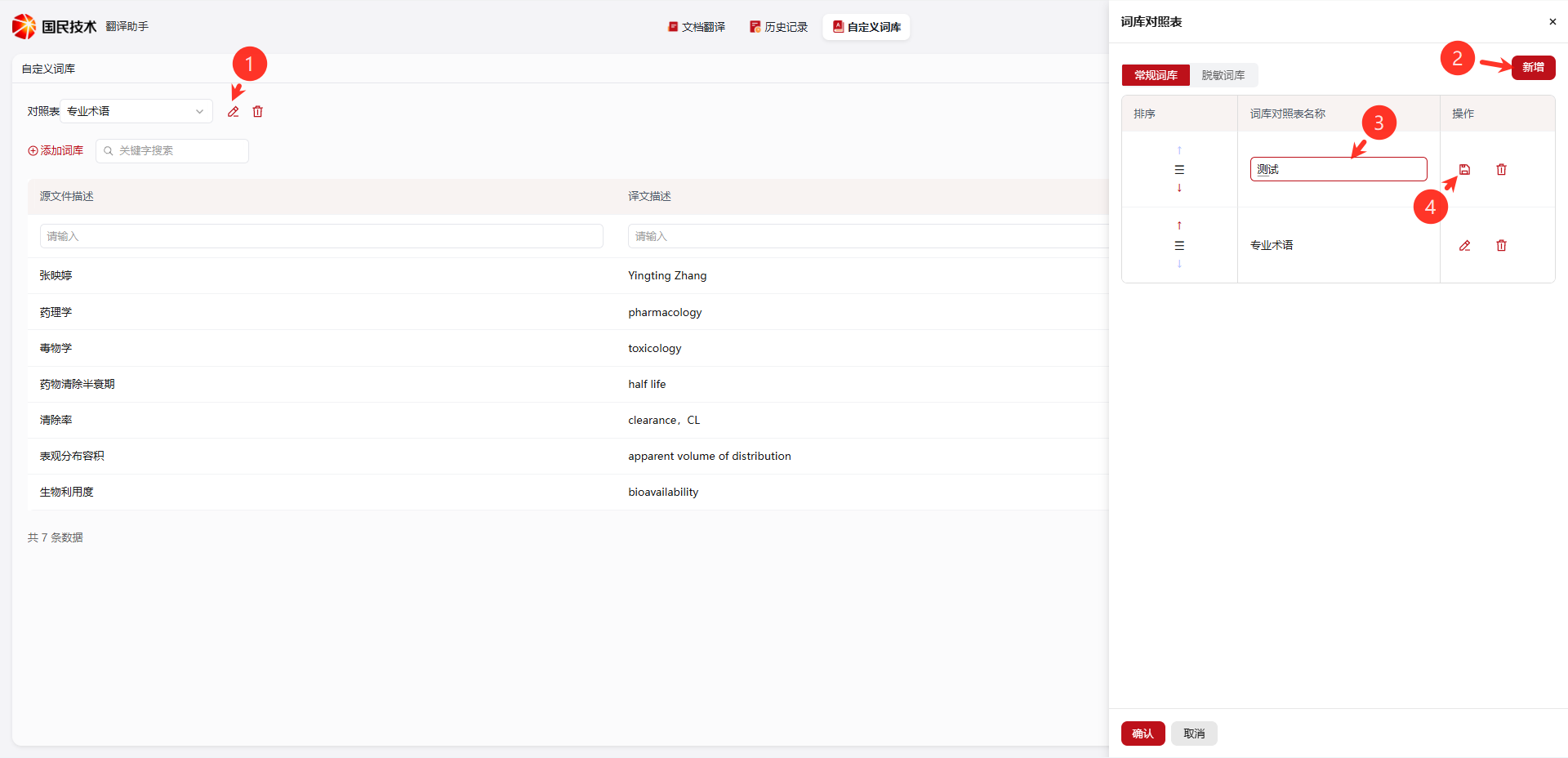
Go to Glossary → Corpus, click the Create Glossary button, enter a glossary name, and complete creation.
Add Terms
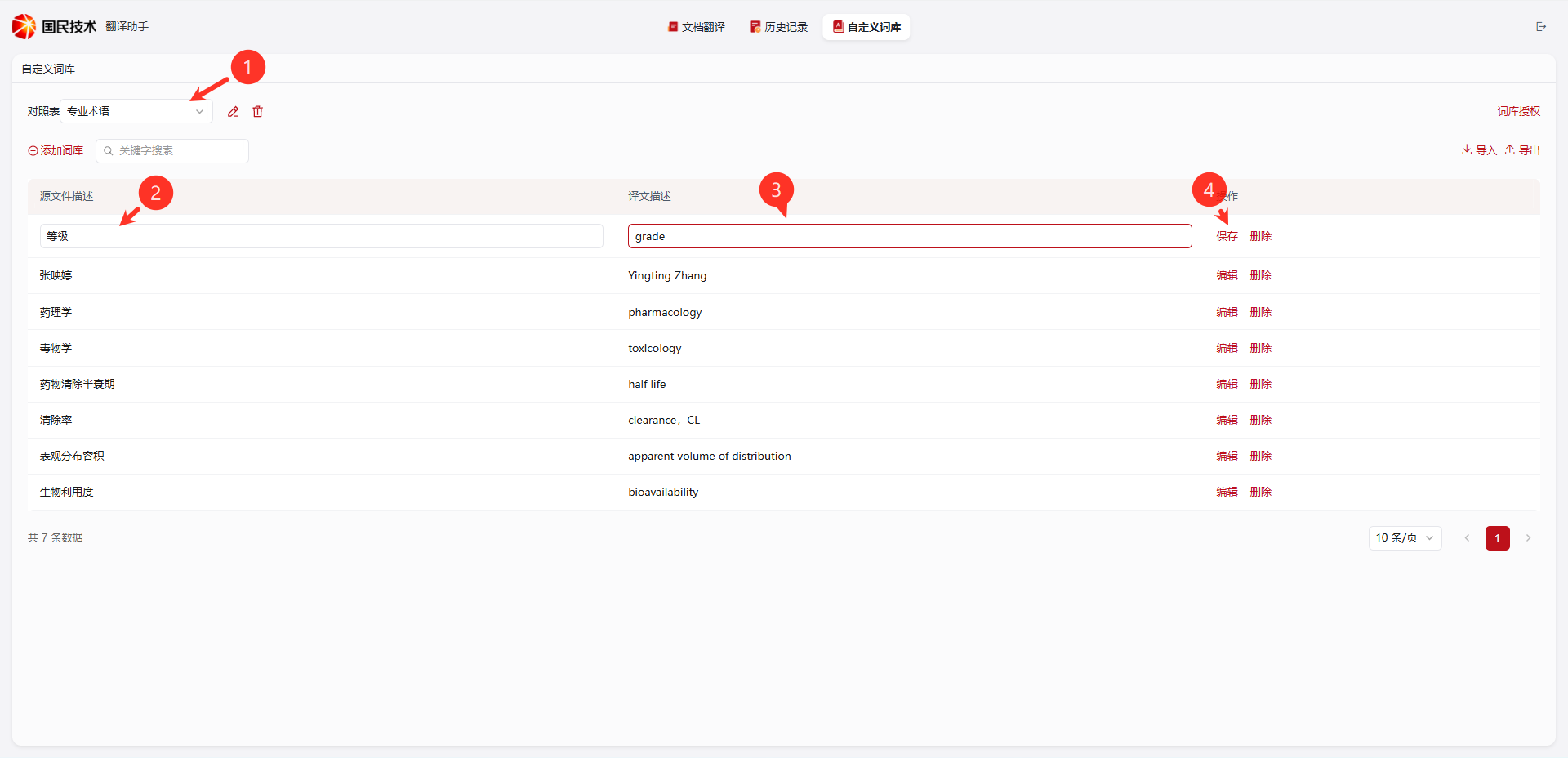
After creating the glossary, click Add Term Group, fill in the source description (original term) and translation description (target translation) in the dialog, and click confirm to save.
| Field | Description |
|---|---|
| Source Description | Original term, e.g., pharmacology, toxicology |
| Translation Description | Corresponding fixed translation, e.g., pharmacology, toxicology |
Import Terms
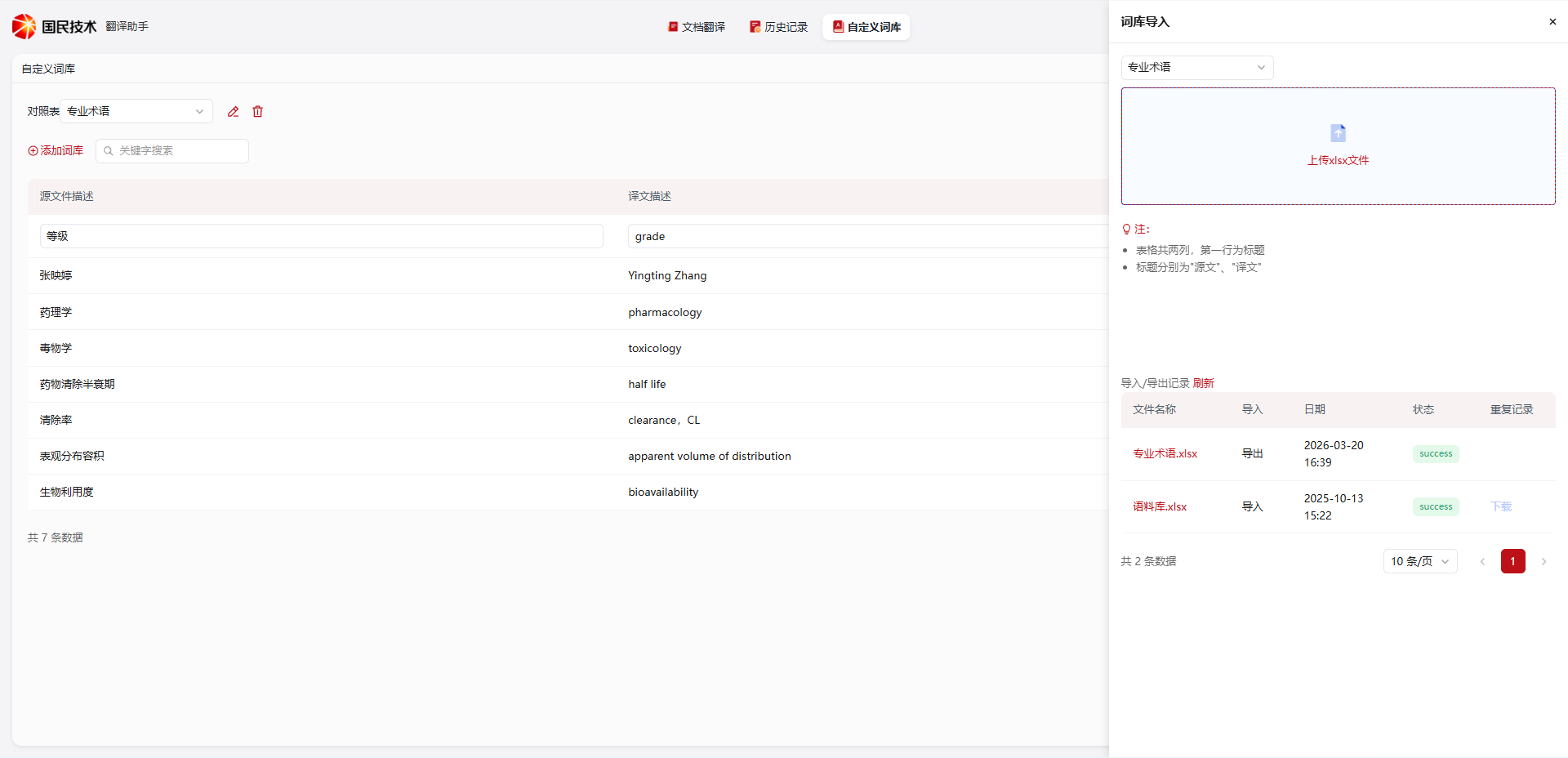
Batch import is supported. Click the Import button, upload a file in the template format to bulk-write terms — suitable for large glossaries.