My Assistant
My Assistant is a conversational application that interacts with users continuously in a question-and-answer mode. It is suitable for building intelligent customer service, knowledge Q&A, business assistant, and similar scenarios.
Use Cases
| Scenario | Description |
|---|---|
| Customer Service | Automatically respond to user inquiries and reduce the workload of human agents |
| Online Education | Provide interactive services such as course Q&A and learning guidance |
| Healthcare | Assist with health consultations, preliminary symptom screening, and similar scenarios |
| Answer product policies and guide users through business processes |
Creating an Application
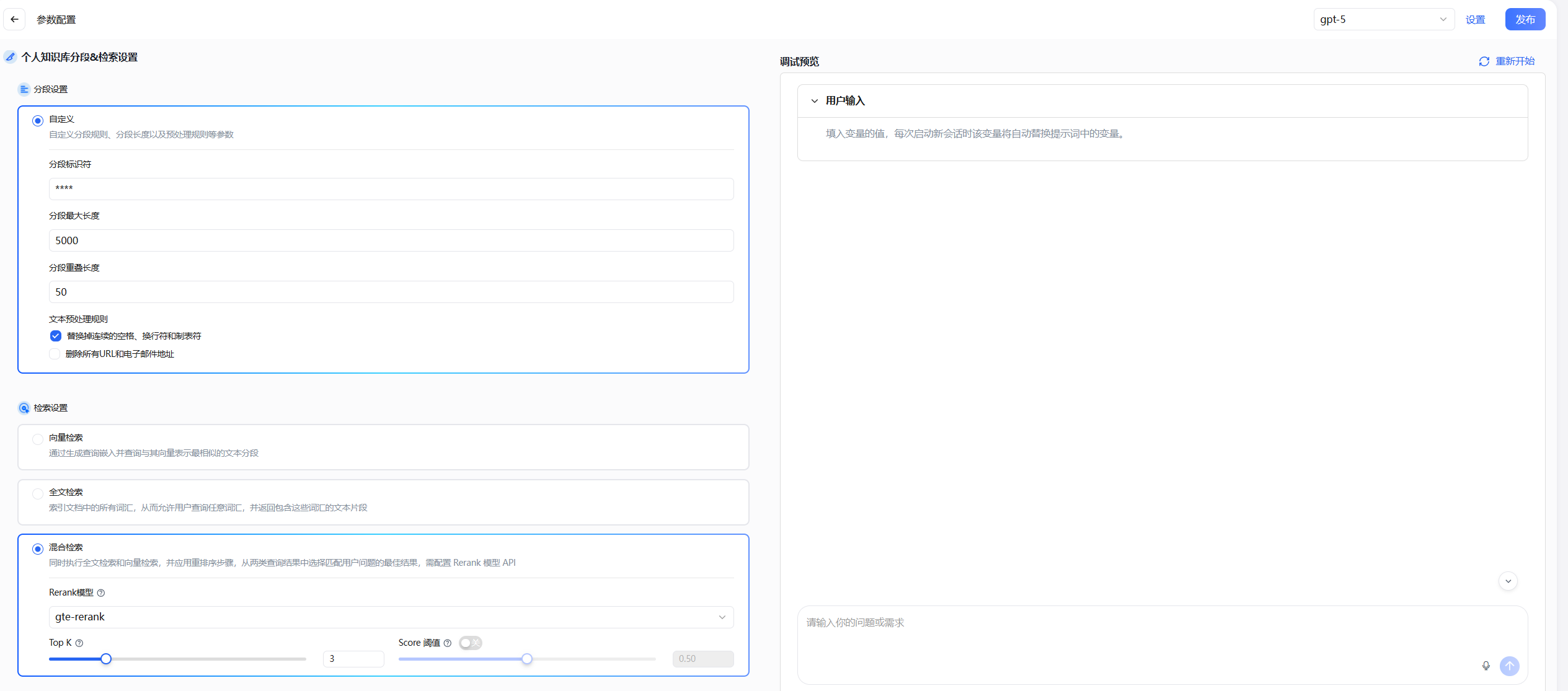
Go to AIGC Apps / App Center, click the "Create App" button, fill in the application name, select My Assistant as the application type, and complete the creation.
Orchestration Parameter Configuration
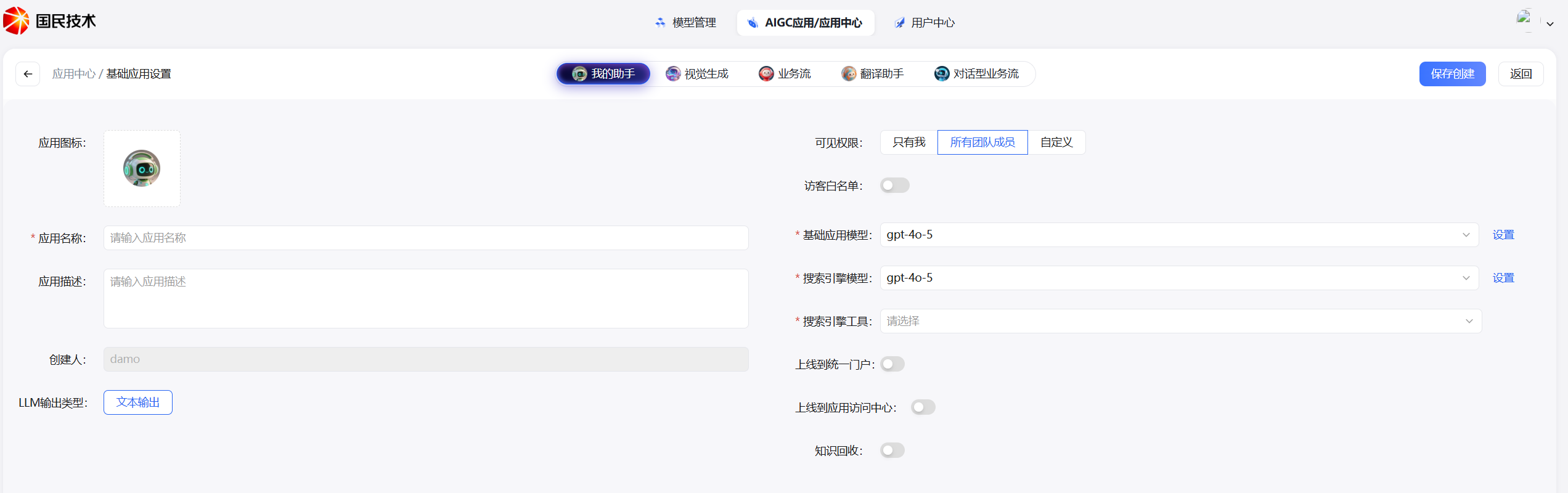
After creation, the system automatically redirects to the parameter configuration page. Complete the configuration by following the modules below in order.
Prompt
The prompt supports three sources, with the following priority order:
| Type | Description |
|---|---|
| Global Default | Uses the global default prompt configured in Model Management > Model Configuration > Prompt Template; can be overridden within the application |
| Model Default | Uses the default prompt for the corresponding provider and specific model; can be overridden within the application |
| Custom | A custom template pre-saved in the prompt template, which can be reused directly via a dropdown selection |
Knowledge Base
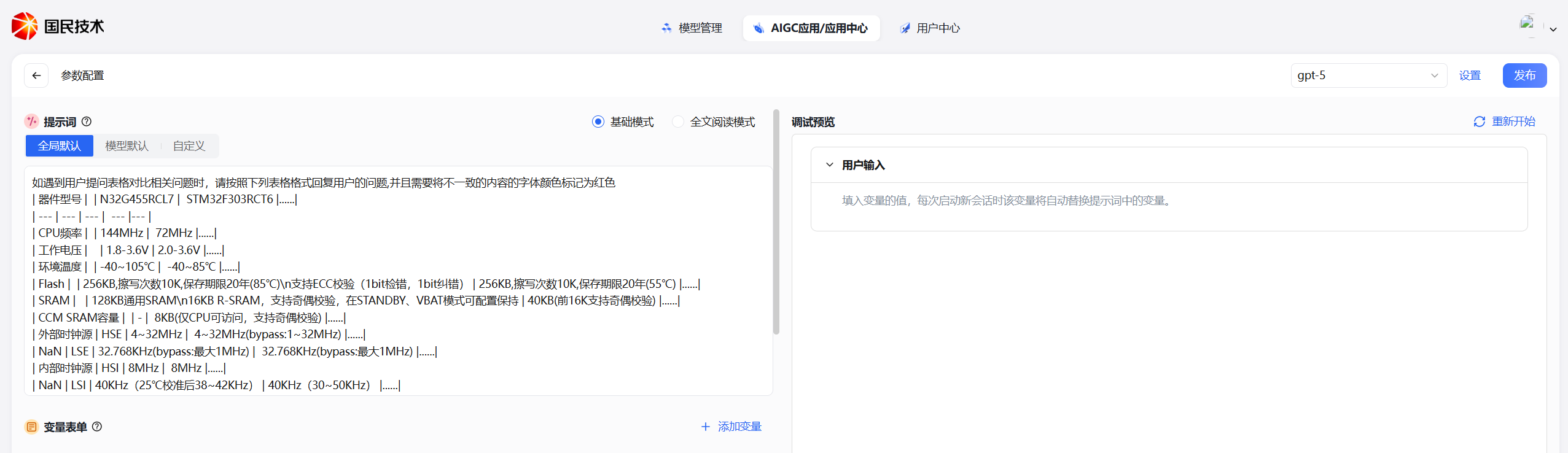
Associate a knowledge base with the application to limit the conversation scope to specified knowledge content (e.g., enterprise document standards).
- Add Knowledge Base: Click the "Add" button, and in the dialog select private or system knowledge bases you have permission to access. Multiple selections are supported.
- Parameter Settings: Click the "Parameter Settings" button to configure the recall strategy.
- Single knowledge base: N-choose-1 recall is recommended
- Multiple knowledge bases: Multi-path recall is recommended
Components
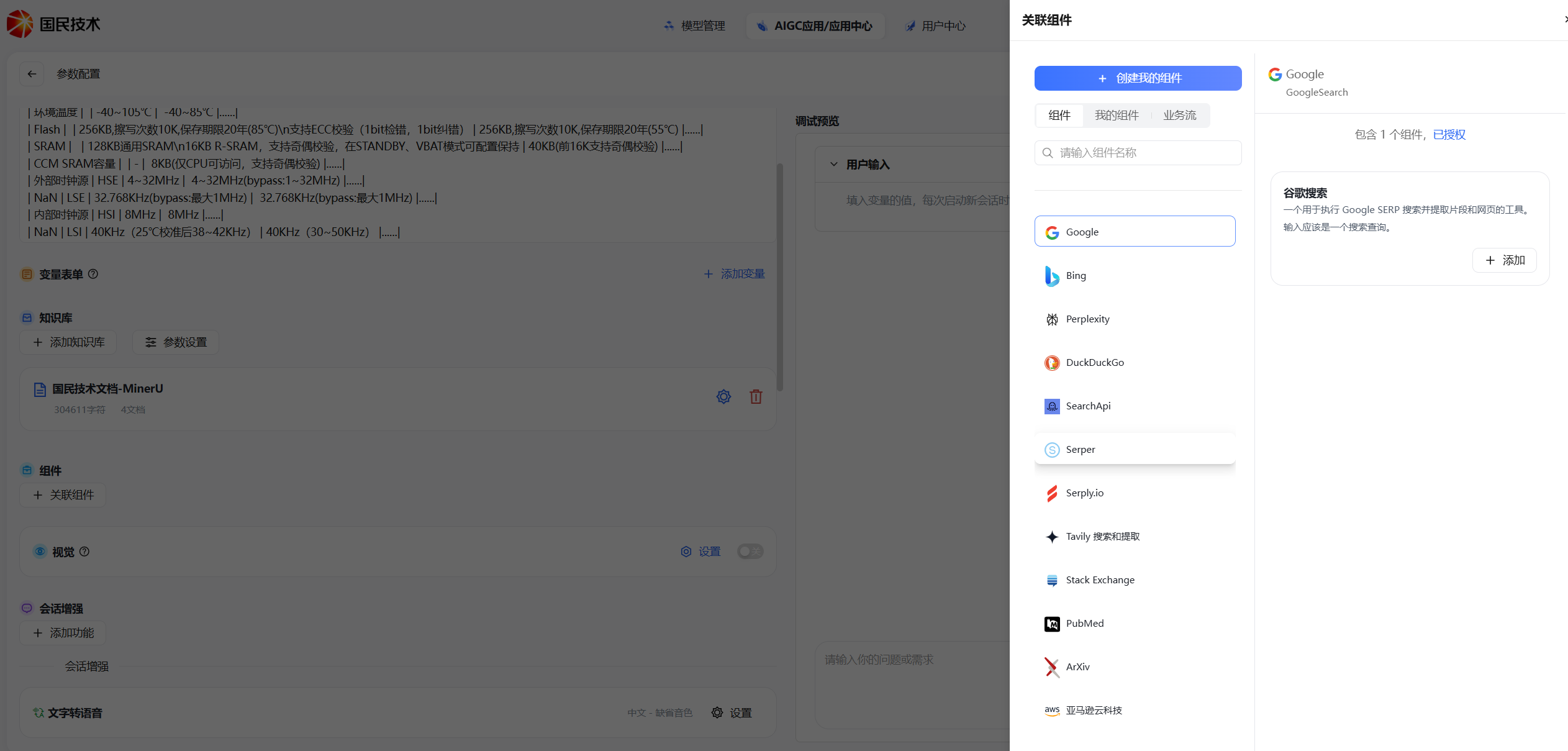
Click the "Associate Component" button, select an authorized component in the right sidebar and enable it to invoke that component's capabilities during conversations.
Vision
This toggle is only displayed when the base model selected for the application supports vision capabilities.
When enabled, an image upload entry will appear on the left side of the input box, allowing users to upload images for the model to parse.
Conversation Enhancement
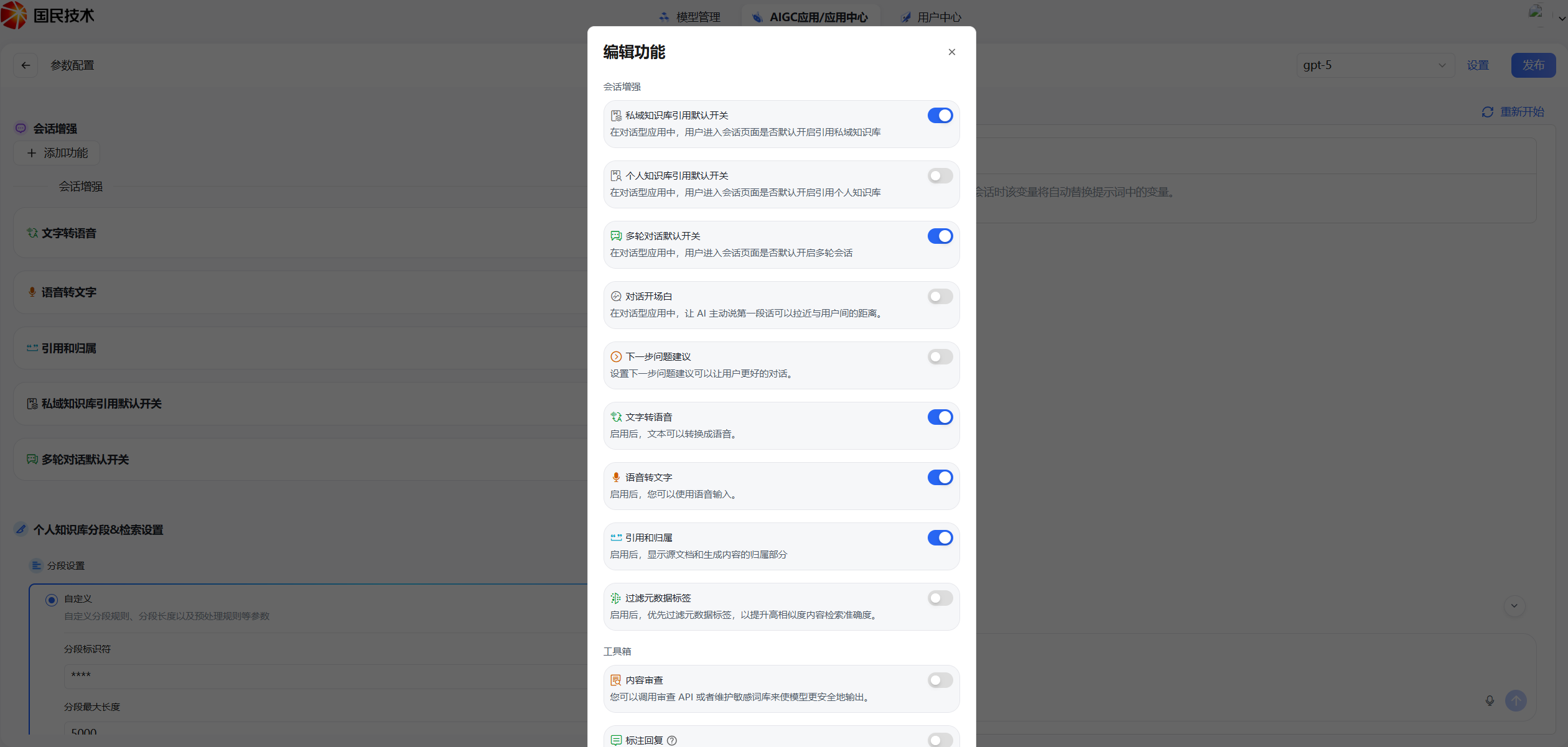
| Feature | Description |
|---|---|
| Private Knowledge Base Reference Default Toggle | When enabled, the assistant application enables private knowledge base references by default |
| Personal Knowledge Base Reference Default Toggle | When enabled, the assistant application enables personal knowledge base references by default |
| Multi-turn Conversation Default Toggle | When enabled, the assistant application enables multi-turn conversation context by default |
| Conversation Opener | When enabled, you can configure several opening guide questions to help users ask questions quickly |
| Next Question Suggestions | When enabled, automatically recommends related follow-up questions based on the current question |
| Text-to-Speech | When enabled, configure language, voice (4 options), and speed (4 options); the model plays audio while outputting text |
| Speech-to-Text | When enabled, requests microphone permission and supports voice input in Mandarin, Cantonese, Hokkien, and other languages, converting speech to text for questions |
| References and Attribution | When enabled and a knowledge base is associated, the source documents from the knowledge base will be displayed below the answer |
| Filter Metadata Tags | Used with knowledge base Index Enhancement to filter recalled segments with excessively high similarity, improving reply accuracy |
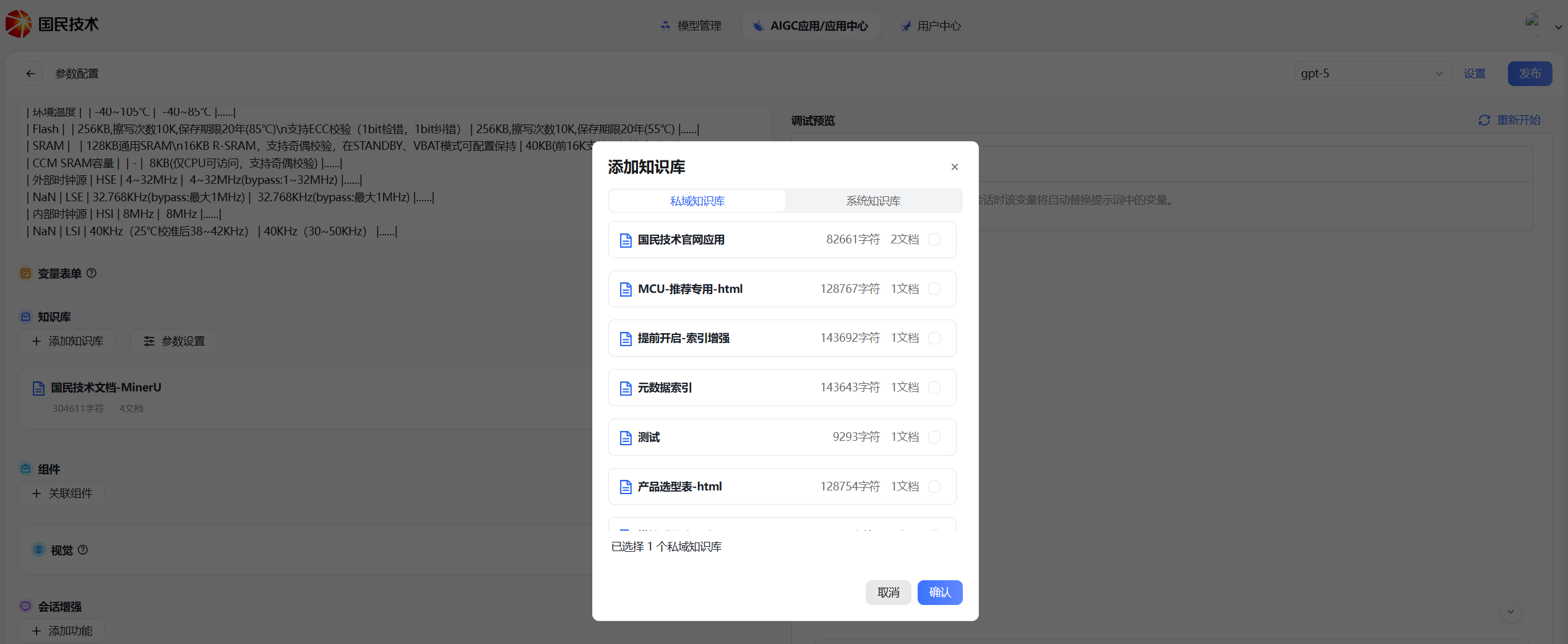
Personal Knowledge Base Segmentation & Retrieval Settings
Segmentation Settings
| Parameter | Default | Description |
|---|---|---|
| Max Segment Length | 5000 | Maximum number of characters per segment |
| Segment Delimiter | **** | Custom delimiter for splitting segments |
| Segment Overlap Length | 50 | Number of overlapping characters between adjacent segments, helps preserve context |
Modifying personal knowledge base segmentation settings does not affect the segmentation configuration of private knowledge bases.
Retrieval Settings
| Parameter | Default | Description |
|---|---|---|
| Retrieval Mode | Hybrid Retrieval | Combines semantic and keyword retrieval |
| Rerank Model | Rerank model configured in Model Management | Re-ranks recalled results |
| Top K | 3 | Returns the top K most relevant segments |
| Score Threshold | Off | When enabled, filters out recalled results below the threshold |
Retrieval settings only affect personal knowledge base document retrieval for the current application and do not affect other applications.