Trigger Collection
This section explains how to trigger the Knowledge Recycling process through conversation interactions, turning high-quality Q&A into a reusable QA knowledge base.
Steps
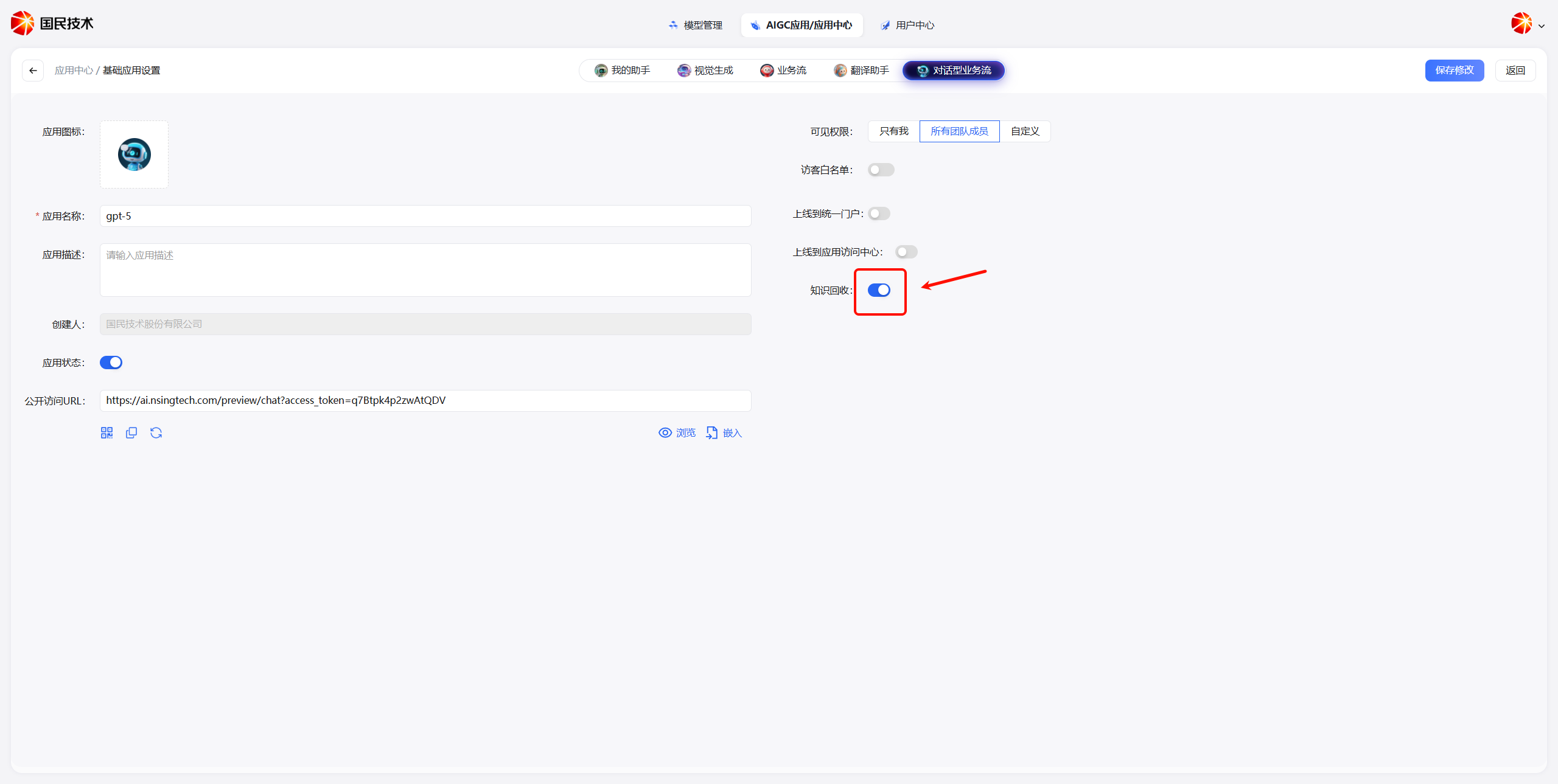
Step 1: Enable Knowledge Recycling
Go to My Assistant and build an agent in the conversational workflow. Then enable the Knowledge Recycling feature in the configuration interface.
Step 2: Have a Q&A Conversation
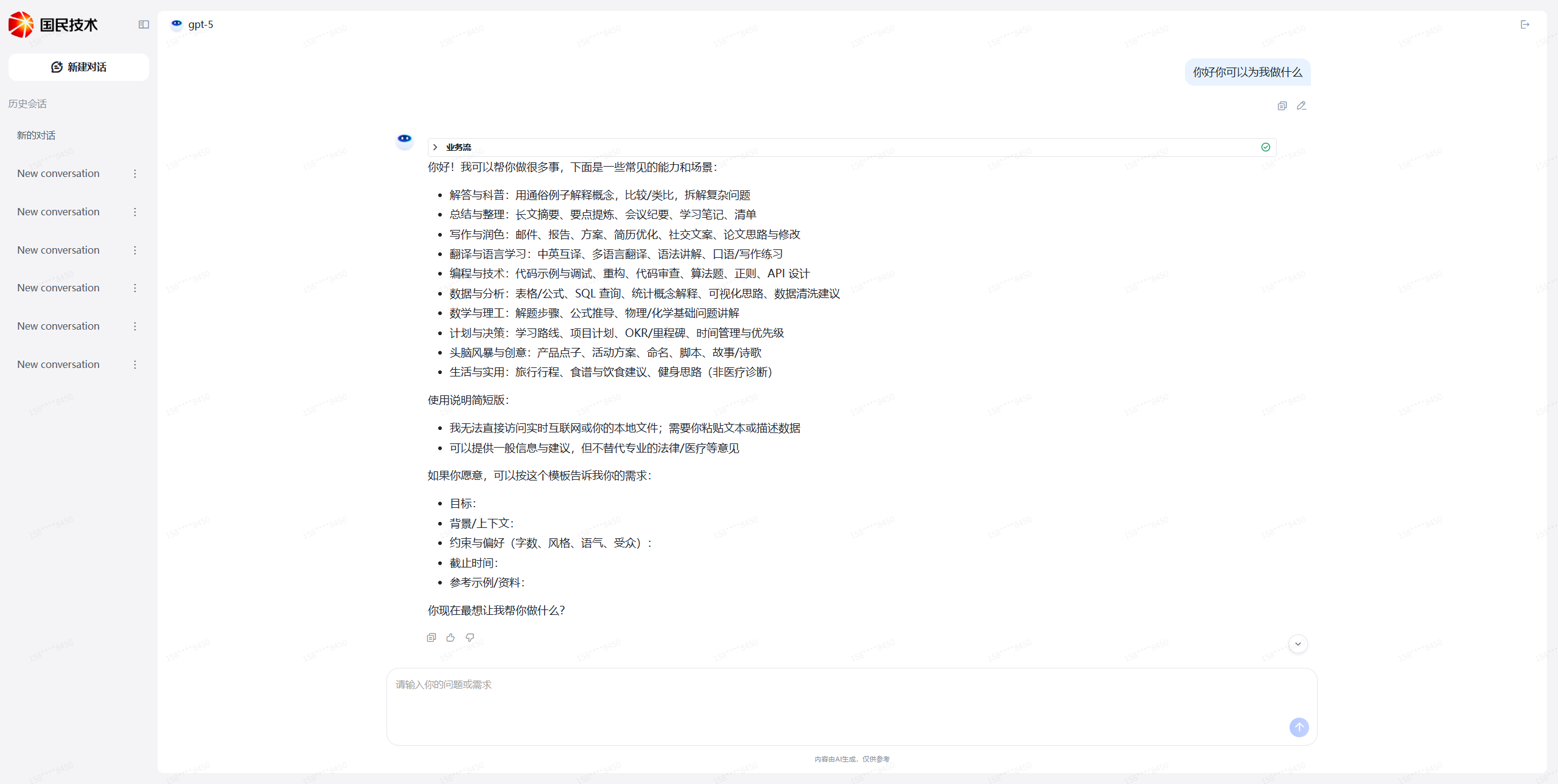
Conduct a normal Q&A conversation with the agent.
Step 3: Thumbs Up Good Answers
When you encounter a high-quality answer worth keeping, thumbs up that message. The system will automatically mark it as pending collection.
Note: The system runs a scheduled task at midnight each day to collect all thumbs-up messages. The next day, you can go to the Knowledge Review page to view and review the collected content.