Knowledge Base Node
Overview
The Knowledge Base node retrieves text segments semantically related to the user's question from a pre-configured knowledge base, and passes the results as context to a downstream Model node. It is the core component for building RAG (Retrieval-Augmented Generation) applications.
Use Cases
Suitable for scenarios that require Q&A based on private data or external knowledge, such as:
- Enterprise internal knowledge Q&A
- Product documentation intelligent search
- Customer service knowledge base conversations
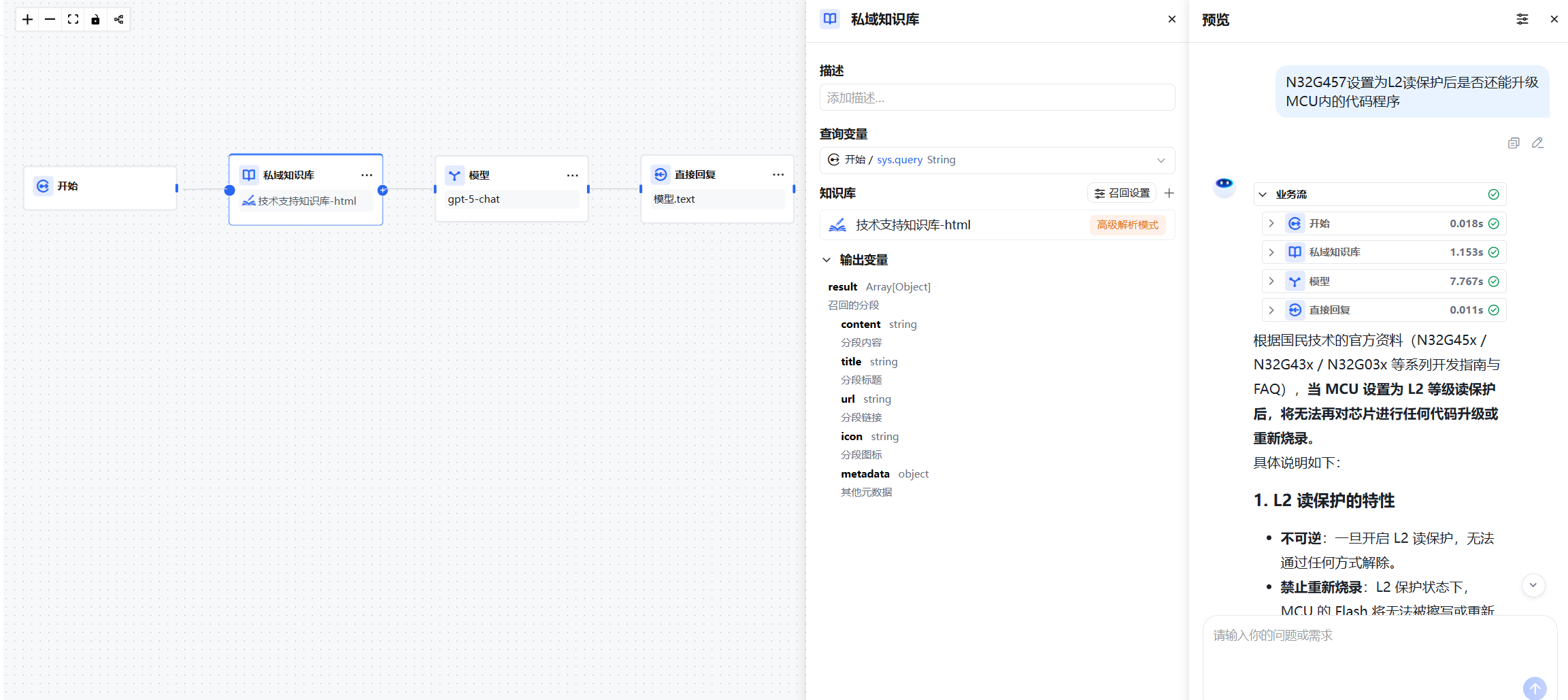
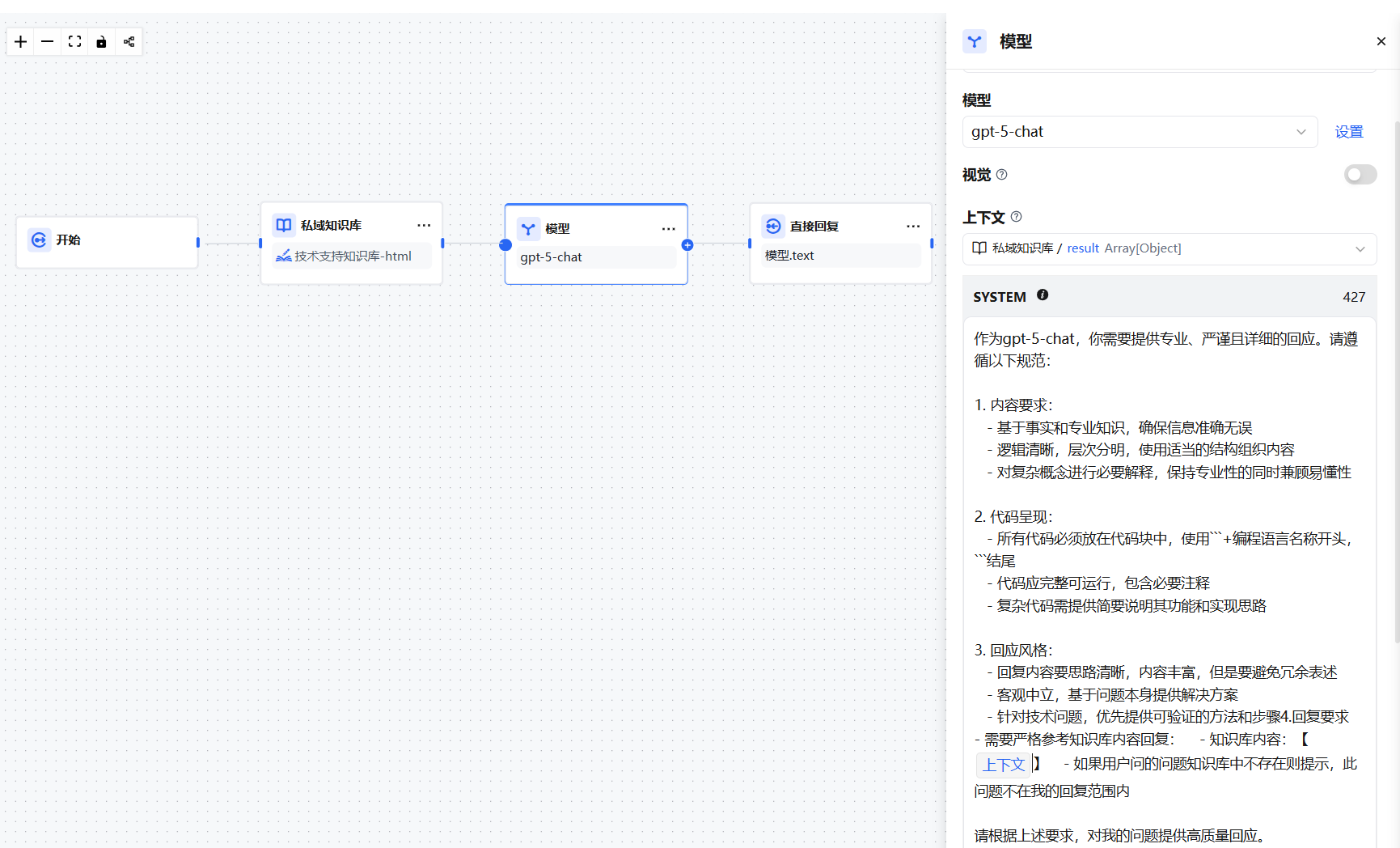
The diagram below shows a basic knowledge base Q&A flow. The Knowledge Base node runs before the Model node: it first retrieves the most relevant text segments based on the user's question, then passes both the question and the retrieved results to the Model node, which generates a reply based on the context.
Configuration Guide
Step 1: Select a Query Variable
The query variable is the input used to search the knowledge base — typically the user's question. In conversational applications, it is recommended to use sys.query from the Start node.
The maximum query length supported by the Knowledge Base node is 200 characters.
Step 2: Select a Knowledge Base
Choose the knowledge base to query from the dropdown. Available knowledge bases must be created and permission-assigned in advance on the Private Knowledge Base page.
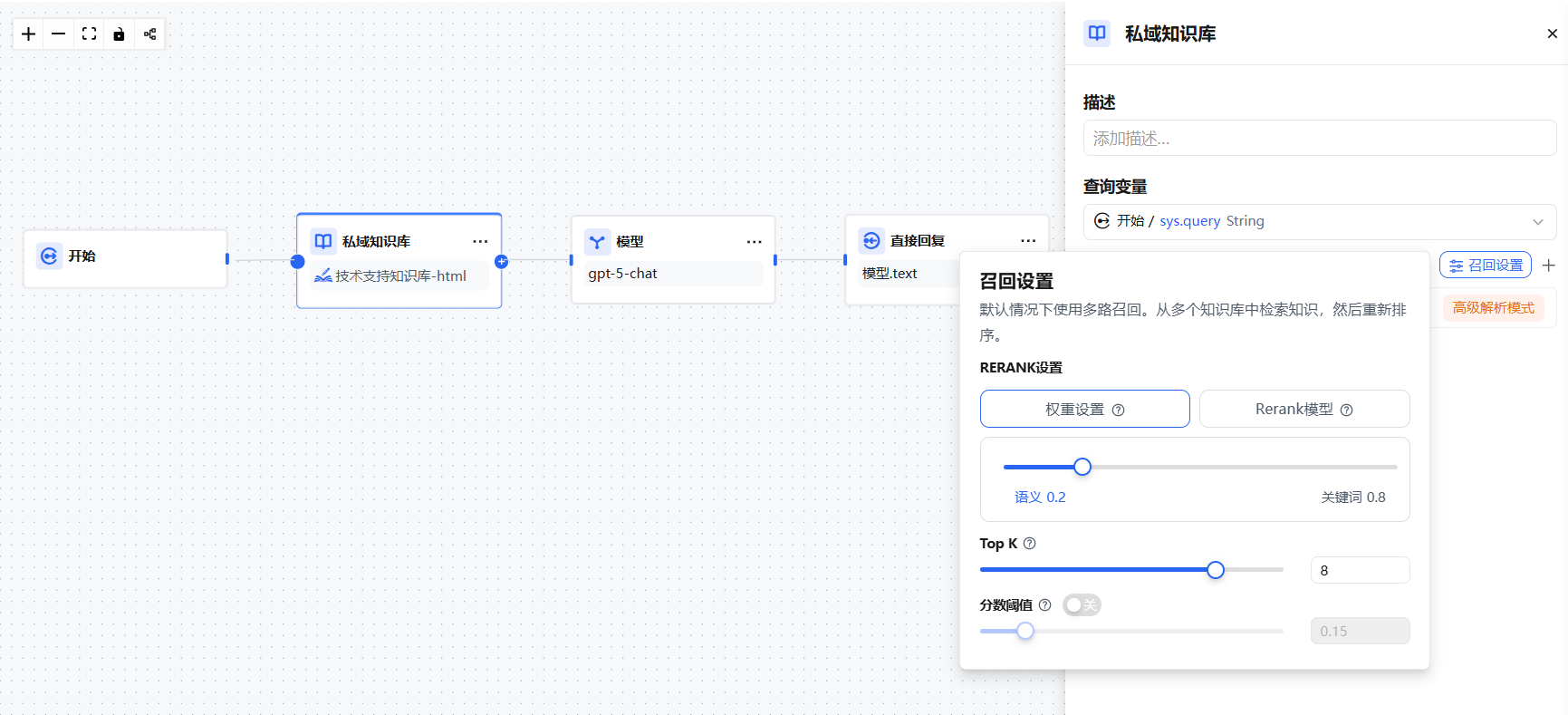
Step 3: Configure Recall Strategy
The default recall mode is multi-path recall. Adjust as needed:
| Setting | Description |
|---|---|
| Recall Mode | Supports multi-path recall; configure weight settings or a Rerank model in the recall dialog |
| Top K | Controls the number of most relevant segments returned |
| Score Threshold | Sets the minimum similarity score; results below this value are filtered out |
Step 4: Connect to Downstream Nodes
Connect the Knowledge Base node output to a downstream Model node to complete the full RAG pipeline.
Output Variable
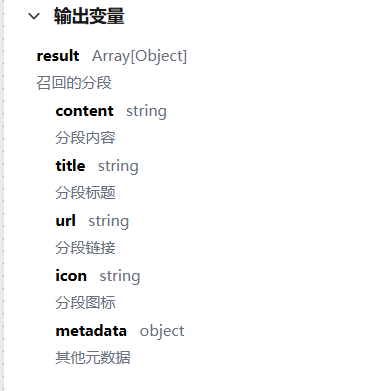
The output variable of the Knowledge Base node is result — a list of relevant text segments retrieved from the knowledge base.
Editing Knowledge Base Settings
Click the edit icon to the right of an added knowledge base to modify its retrieval mode, Top K, Score threshold, or remove its association with the current node.
Configuring the Downstream Model Node
The result variable from the Knowledge Base node must be assigned to the context variable in the downstream Model node, and the context variable must be inserted at the appropriate position in the prompt.
The context variable is a special variable type within the Model node, used exclusively to inject externally retrieved text content into the prompt.
Runtime behavior:
- If the Knowledge Base node successfully retrieves relevant text, the content fills the context variable and the model replies based on the retrieved content.
- If no relevant text is retrieved, the context variable is empty and the model replies directly based on the user's question.
Citations and Attribution
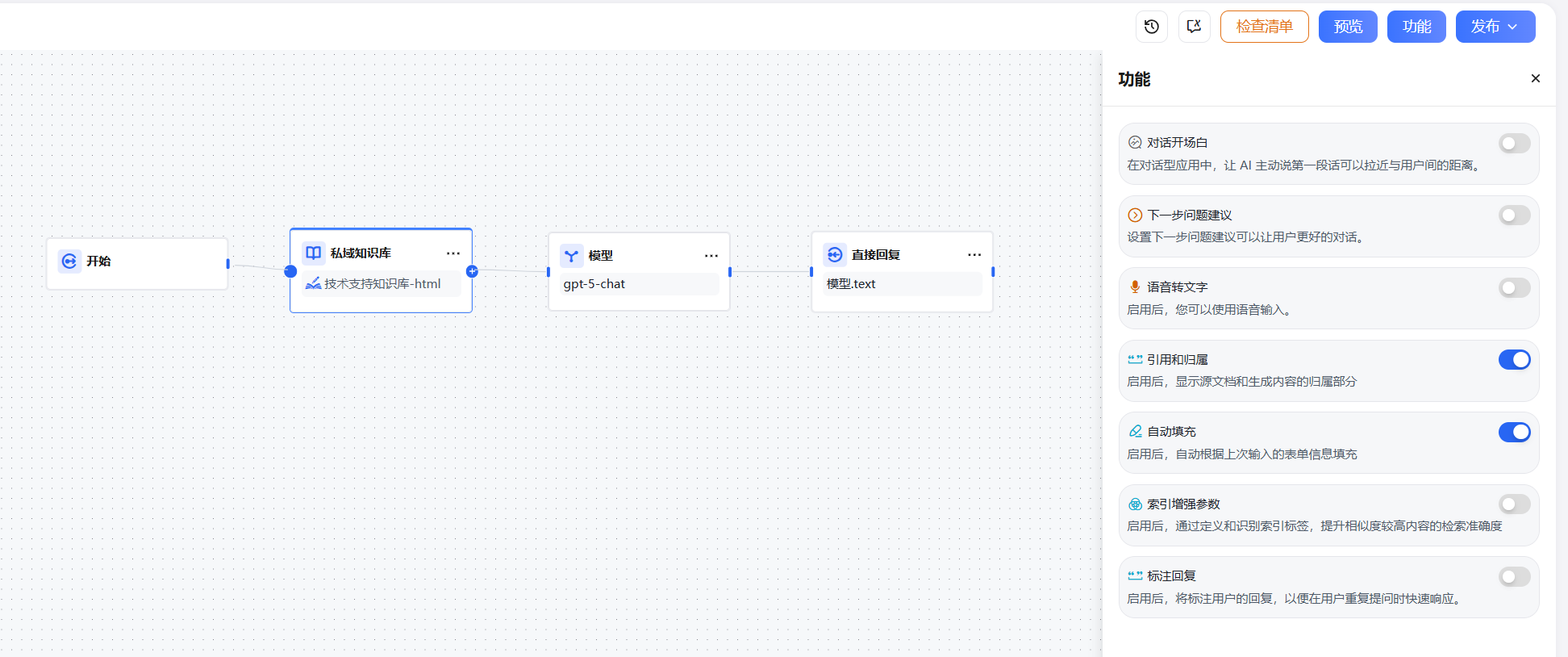
Enable the Citations and Attribution toggle in the node's Features settings. When enabled, replies will display the source document information for referenced content, making it easy to trace and verify.