Parameter Extraction Node
Definition
The Parameter Extraction node uses an LLM to infer and extract structured parameters from natural language. It converts unstructured user input into standardized data formats required by tool calls, HTTP requests, or downstream nodes.
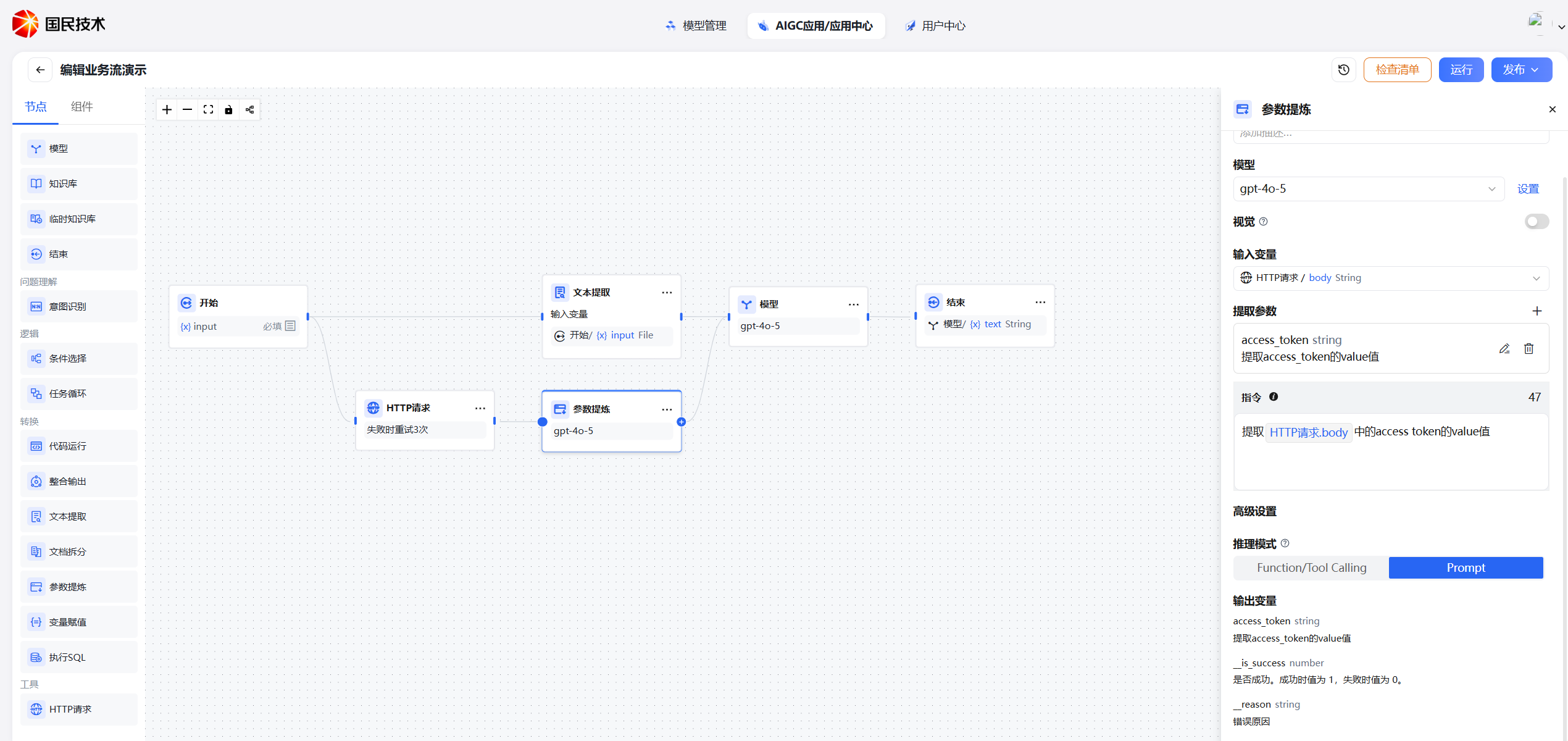
Configuration
Basic Settings
| Setting | Description |
|---|---|
| Model | Select the LLM for inference. A stronger model improves extraction accuracy |
| Input Variable | The text to extract from — typically user input or an upstream node's output. Supports file variables |
| Extraction Parameters | Parameters to extract; must be added manually with their types (see below) |
| Inference Mode | Controls how the model extracts parameters (see below) |
| Parameter List | Define the name, type, and description of each parameter to extract |
| Instructions (optional) | Additional rules or special requirements to help the model extract more accurately |
Parameter Definition
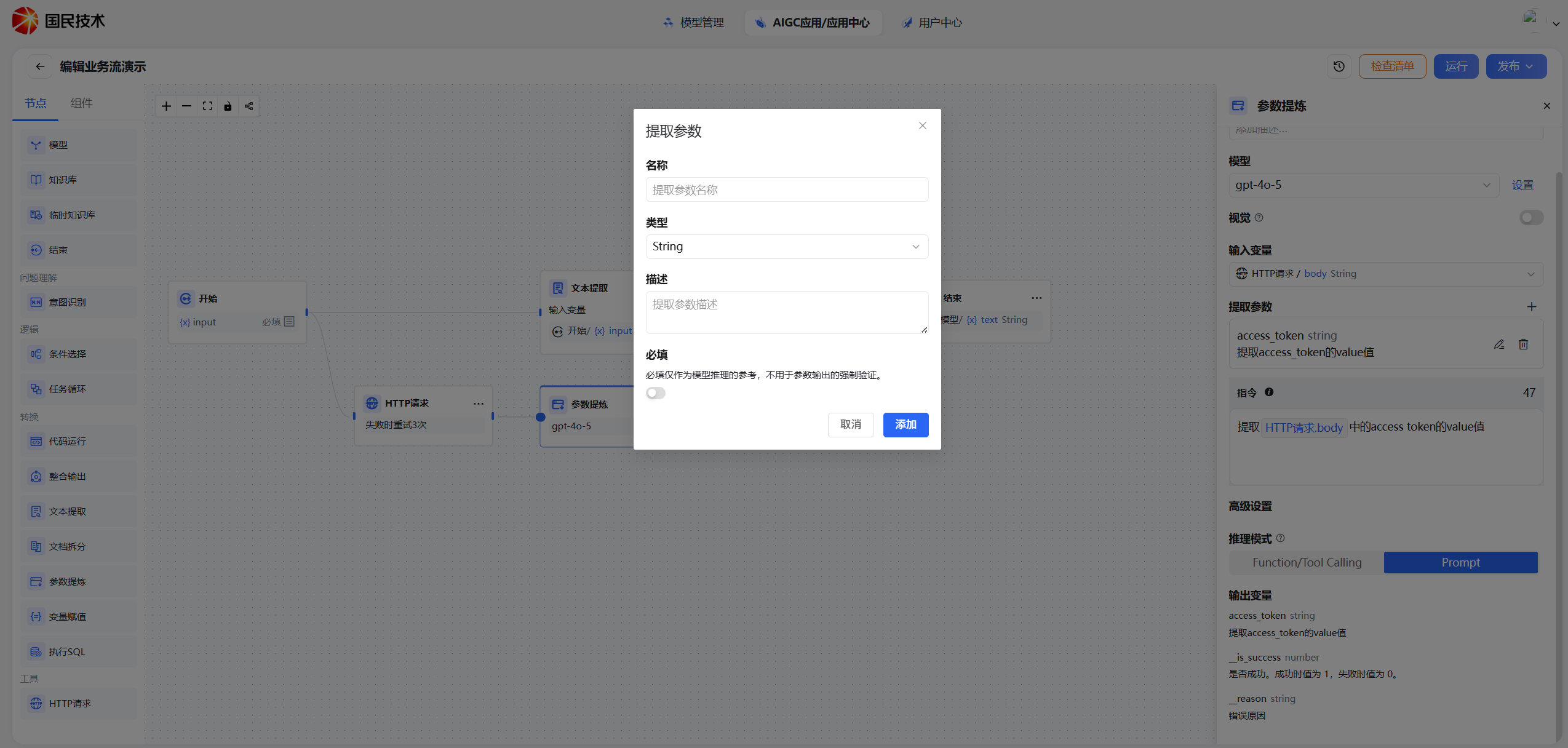
Each parameter requires the following fields:
| Field | Description |
|---|---|
| Parameter Name | The variable name after extraction; referenced by downstream nodes |
| Parameter Type | Supports String, Number, Boolean, Array, Object |
| Description | Explanation of the parameter's meaning — clearer descriptions improve accuracy |
| Required | If marked required, the node returns an error when the model cannot extract this parameter |
Inference Modes
Function Calling Mode
Uses the model's native Function/Tool Calling capability. Parameter definitions are converted to tool descriptions, and the model outputs structured JSON directly.
- Pros: Stable output format, reliable parsing
- Best for: Models that support Function/Tool Calling (e.g., GPT-4, Claude)
Prompt Mode
Constructs a prompt to guide the model to output parameters as text, which the system then parses into structured data.
- Pros: Compatible with models that don't support Function/Tool Calling
- Best for: Open-source models or models with limited capabilities
Recommendation: Use Function Calling mode first for more stable output. If the selected model doesn't support it, the system will automatically fall back to Prompt mode.
Output Variables
After execution, each defined parameter is output as an independent variable that can be referenced directly by downstream nodes.
For example, with these parameters defined:
| Parameter | Type | Example Value |
|---|---|---|
city | String | "Beijing" |
date | String | "2026-03-24" |
adult_count | Number | 2 |
Downstream nodes reference them as { ParameterExtractionNode.city }, { ParameterExtractionNode.date }, etc.
Typical Use Cases
Extract Parameters for Tool Calls
When a user describes a need in natural language, the Parameter Extraction node automatically identifies and extracts the parameters required by a tool node.
Example: User input: "Check the weather in Beijing the day after tomorrow"
Extracted:
city→Beijingdate→2026-03-26
Results are passed directly to a weather query tool node.
Extract Token and Dynamic Parameters for HTTP Requests
When calling an authenticated HTTP API, the Parameter Extraction node can extract the token and business parameters from upstream context and pass them to the HTTP Request node's headers or body.
Example: Upstream node returns:
Authorization: Bearer eyJhbGciOiJIUzI1NiJ9.xxx
User ID: 10086
Action: Query Bill
Configure extraction:
| Parameter | Type | Description |
|---|---|---|
token | String | Bearer token for authentication |
user_id | String | User unique identifier |
action | String | Requested operation type |
Convert Natural Language to Arrays for Iteration
When a user lists multiple items in natural language (e.g., "Translate these three paragraphs: ..."), the Parameter Extraction node can identify and extract them as an array for a Task Loop node.
Example: User input: "Please summarize the following three articles: [Article A], [Article B], [Article C]"
Extracted:
| Parameter | Type | Description |
|---|---|---|
articles | Array | List of articles to summarize |
Result ["Article A content", "Article B content", "Article C content"] is passed directly to the Task Loop node.
Tips for Better Accuracy
- Be specific in descriptions — Include format, units, or example values
- Mark only essential parameters as required — Allow optional parameters to be empty
- Add instructions to constrain edge cases — e.g., "Convert all dates to YYYY-MM-DD format"
- Choose a capable model — Use a stronger reasoning model for complex extraction tasks