HTTP Request Node
Definition
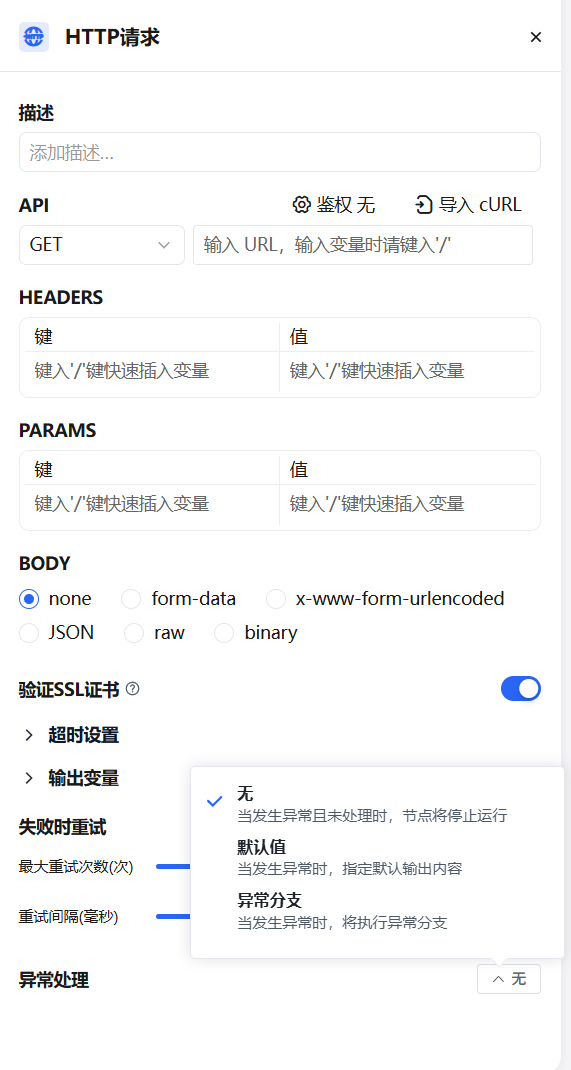
The HTTP Request node allows you to send server requests via the HTTP protocol. It is suitable for fetching external data, triggering webhooks, generating images, downloading files, and more. It lets you send customized HTTP requests to specified URLs, enabling integration with a wide range of external services.
Supported HTTP methods:
- GET — Request a resource from the server
- POST — Submit data to the server (commonly used for form submission or file upload)
- HEAD — Like GET, but the server returns only response headers, not the body
- PATCH — Apply partial modifications to a resource
- PUT — Upload a resource to the server (commonly used for updating or creating resources)
- DELETE — Request the server to delete a specified resource
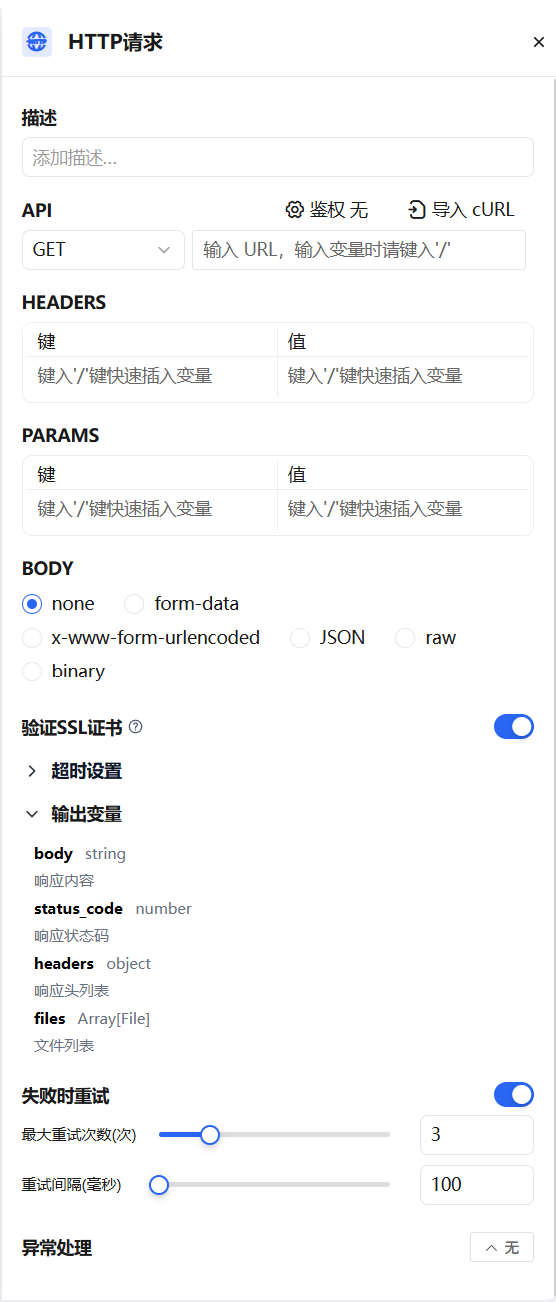
You can configure the URL, request headers, query parameters, request body, and authentication information.
Use Cases
Send application interaction data to a specific server
Using an HTTP request workflow, you can dynamically embed application interaction content (such as user questions or actions) into requests, automatically capture operation logs, and push them to a specified server. The node also supports handling responses that contain files.
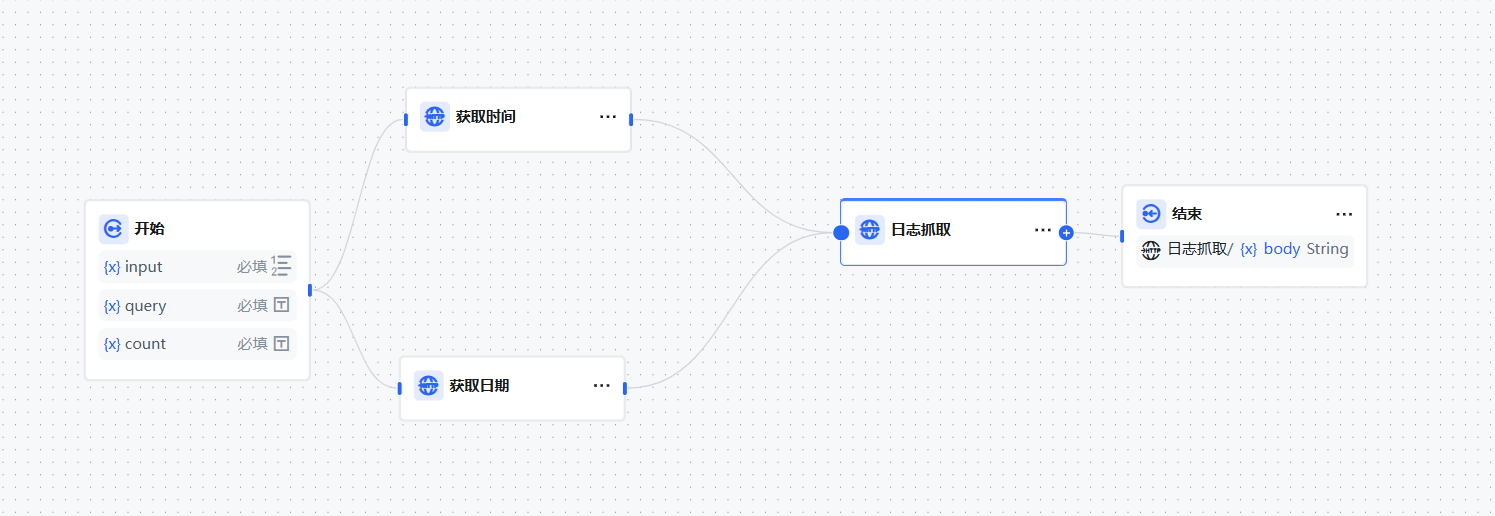
The return value includes the response body, status code, response headers, and files. If the response contains a file, the node automatically saves it for use in subsequent steps.
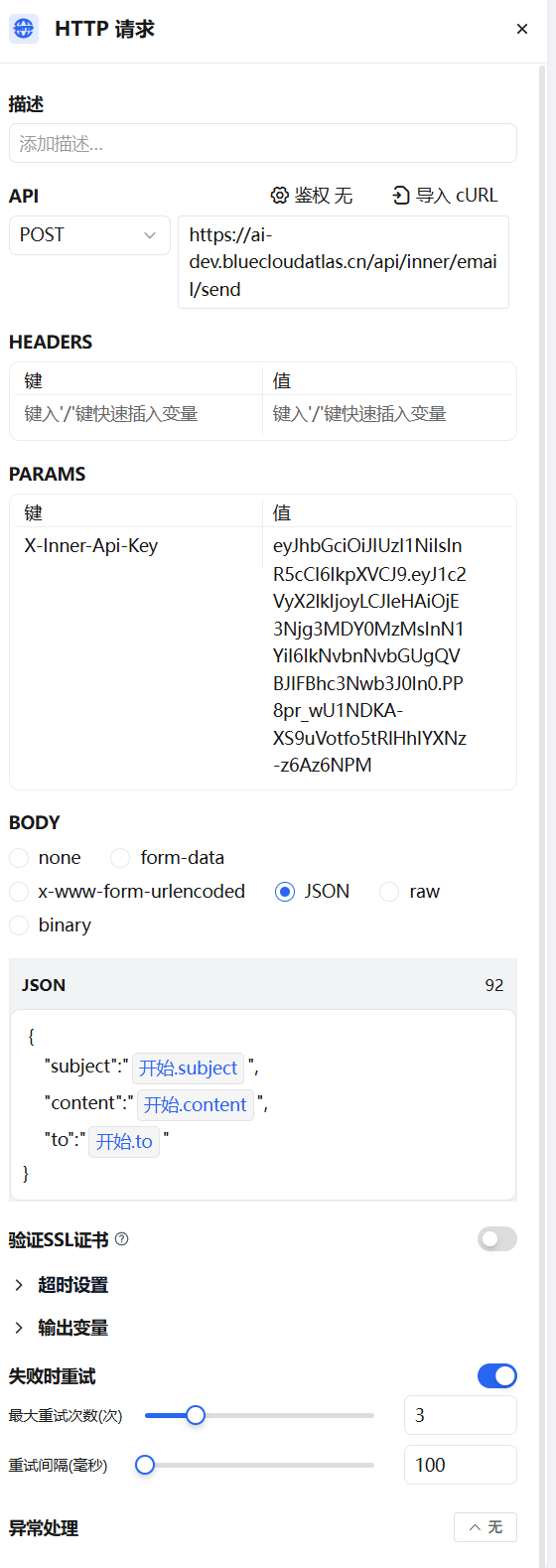
Send emails
Use the HTTP node to call an internal email service API. Send a POST request with an authentication key and dynamically parameterized JSON data to trigger automated email delivery. Supports failure retry to ensure reliable delivery — suitable for notifications and alerts within a workflow.
Advanced Features
Error Retry
When a node encounters certain errors, retrying usually resolves the issue. When enabled, the node will automatically retry according to a preset strategy.
- Maximum retries: 10
- Maximum retry interval: 5000 ms

Exception Handling
The HTTP node may encounter network timeouts, rate limits, or other exceptions. Configure an exception branch to handle these gracefully without interrupting the entire flow:
- Enable "Exception Handling" on the HTTP node
- Select an exception handling strategy and configure it