Start Node
Definition
The Start node is a required preset node in every Conversational Workflow (Chatflow) application. It provides the initial information needed for the workflow to run — such as the user's current message and uploaded files — and makes that information available to all downstream nodes.
Configuring the Node
The Start node settings panel has two sections: Input Fields and System Variables.
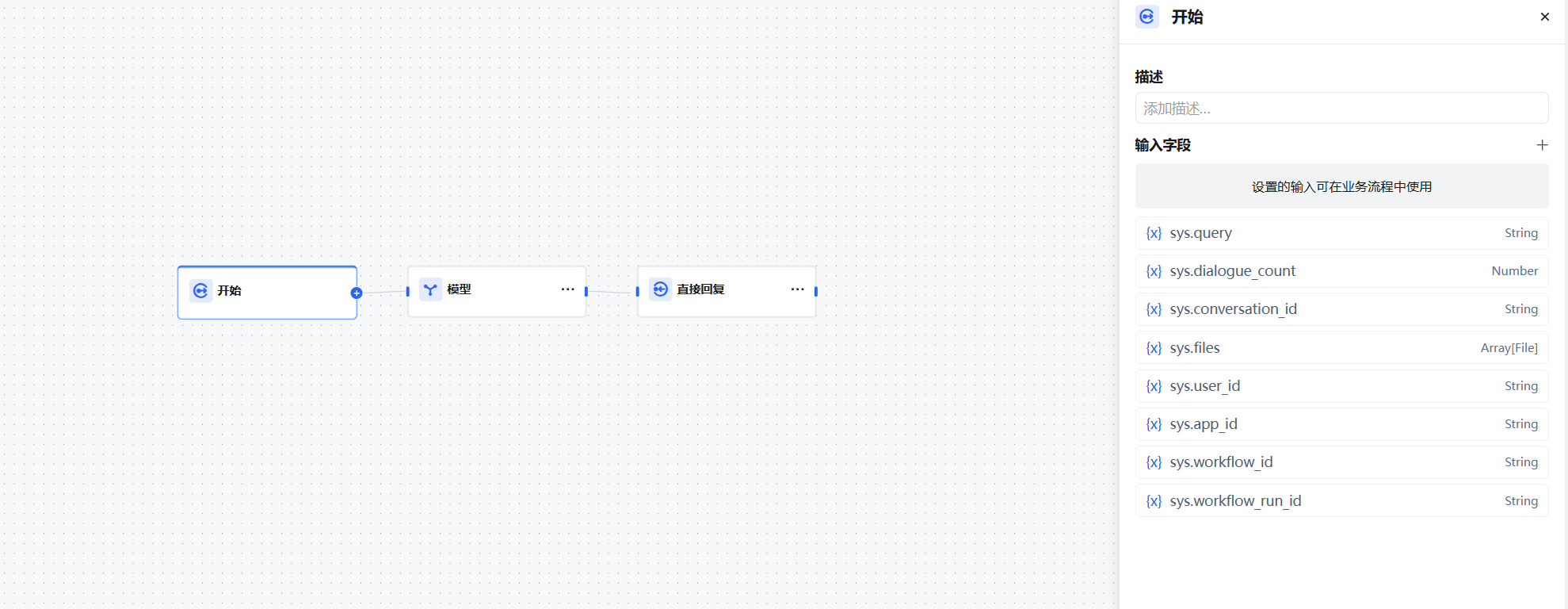
Input Fields
Input fields are configured by the application developer to collect additional information from the user before the conversation starts. For example, a weekly report application might ask the user to provide their name, work date range, and task details upfront. This pre-collected information helps the LLM generate higher-quality output.
Six variable types are supported, all of which can be marked as required:
- Text — Short text, user-entered, max 256 characters.
- Paragraph — Long text, allows longer user input.
- Dropdown — Fixed options set by the developer; users can only select from the preset choices.
- Number — Numeric input only.
- Single File — Allows the user to upload one file. Supports documents, images, audio, video, and other file types. Supports local upload or pasting a file URL.
- File List — Allows the user to upload multiple files. Same format support as Single File.
Note: The file list upload limit is a maximum of 100 files.
System Variables
Chatflow applications automatically inject the following system variables into the Start node. They can be referenced directly in any downstream node without manual configuration:
| Variable | Data Type | Description |
|---|---|---|
sys.query | String | The text content entered by the user in the current turn |
sys.files | Array[File] | List of files uploaded by the user in the current turn |
sys.conversation_id | String | Unique identifier of the current session; unchanged within the same session |
sys.message_id | String | Unique identifier of the current message |
sys.user_id | String | Unique identifier of the current user |
sys.app_id | String | Unique identifier of the current application |
sys.workflow_id | String | Unique identifier of the current workflow |
sys.workflow_run_id | String | Unique identifier of the current workflow execution instance |
System variables are automatically injected by the platform. They can be referenced anywhere — in model node prompts, condition nodes, HTTP request nodes, etc.