Text Extraction Node
Definition
LLMs cannot directly read or interpret document content. The Text Extraction node parses uploaded documents and converts their content into plain text, which can then be passed to an LLM for processing.
Use Cases
- Build LLM applications that interact with files, such as ChatPDF or ChatWord
- Analyze and inspect the content of user-uploaded files
Node Function
The Text Extraction node acts as an information processing center: it reads the file from the input variable, extracts the content, and outputs it as a string variable for downstream nodes.
The node structure includes: Input Variable, Document Parsing Service, Image Parsing, Page Range Extraction, and Output Variable.
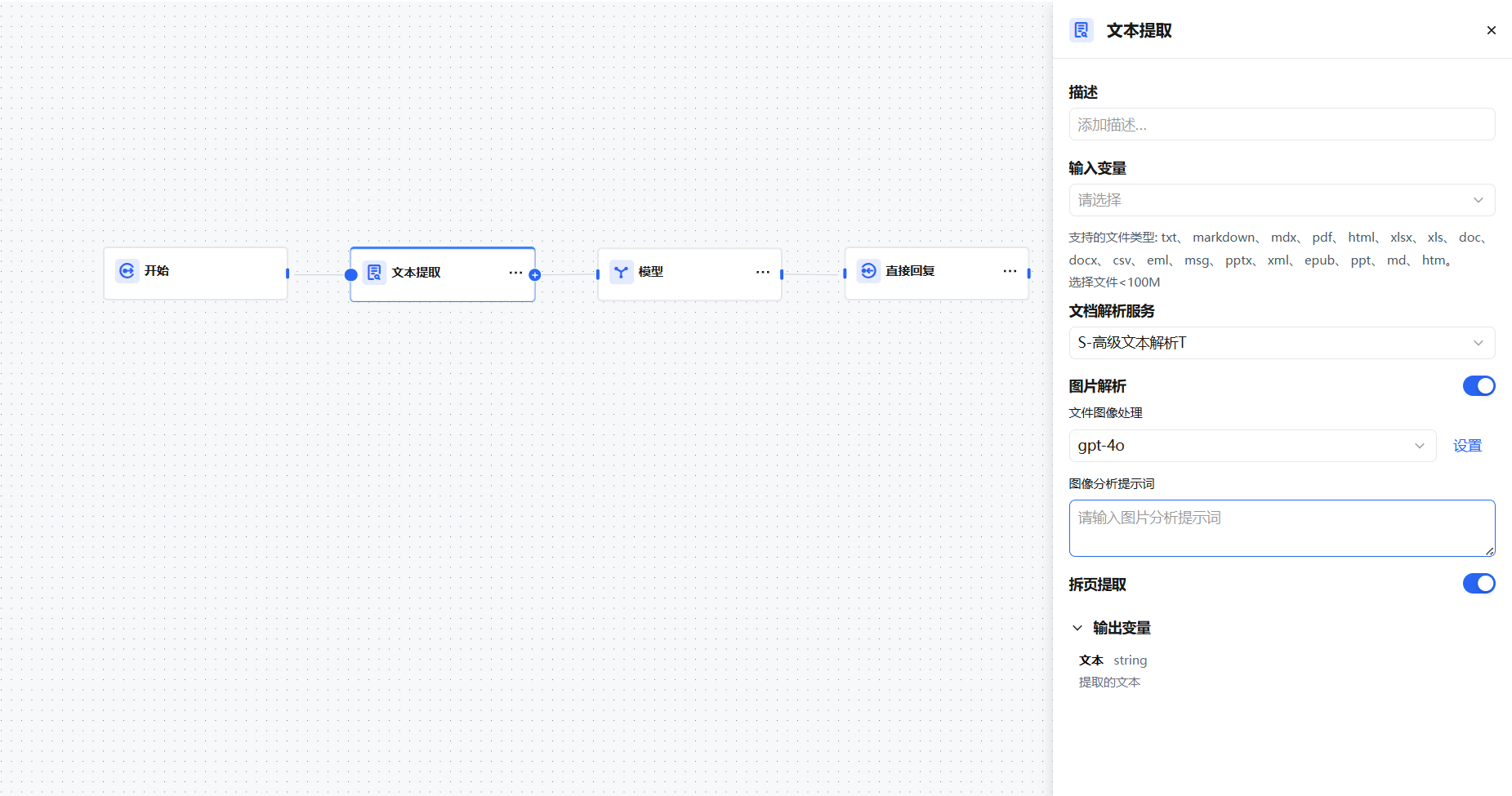
Input Variable
The Text Extraction node accepts only the following data structures:
File— A single fileArray[File]— Multiple files
It can only extract content from document-type files: TXT, Markdown, PDF, HTML, DOCX, etc. It cannot process images, audio, or video files. Files must be smaller than 100 MB.
Document Parsing Service
Defaults to the parsing service selected on the Model Management → Model Configuration page. The parsing service converts text to Markdown format, preserving heading hierarchy, tables, lists, and other structural information for downstream structured processing.
Two parsing modes are supported:
- Default Parsing — Uses the system's built-in document parsing engine. Suitable for well-formatted TXT, Markdown, HTML, and DOCX files. Fast, no extra configuration needed.
- Custom Parsing Service — Configure a third-party parsing service (e.g., azure_document_intelligence, deepseek) on the Model Management → Model Configuration page. Suitable for complex PDFs or documents with many tables and charts, offering higher parsing accuracy.
Image Parsing
Image parsing extracts embedded image content from uploaded documents, converts image information into text descriptions, and merges it into the document text output — enabling the LLM to understand charts, screenshots, and other visual content.
When enabled, configure:
- File Image Processing Model — Select a multimodal model with image recognition capability (e.g., GPT-4o, Claude 3) to parse embedded images. Adjust model parameters (temperature, max_tokens) to control description detail and accuracy.
- Image Analysis Prompt — Write a prompt to guide the model in describing image content. For example, for flowcharts: "Please describe the process steps and node relationships in this diagram."
Page Range Extraction
When you only need content from a specific page range, enable Page Range Extraction to avoid processing irrelevant content.
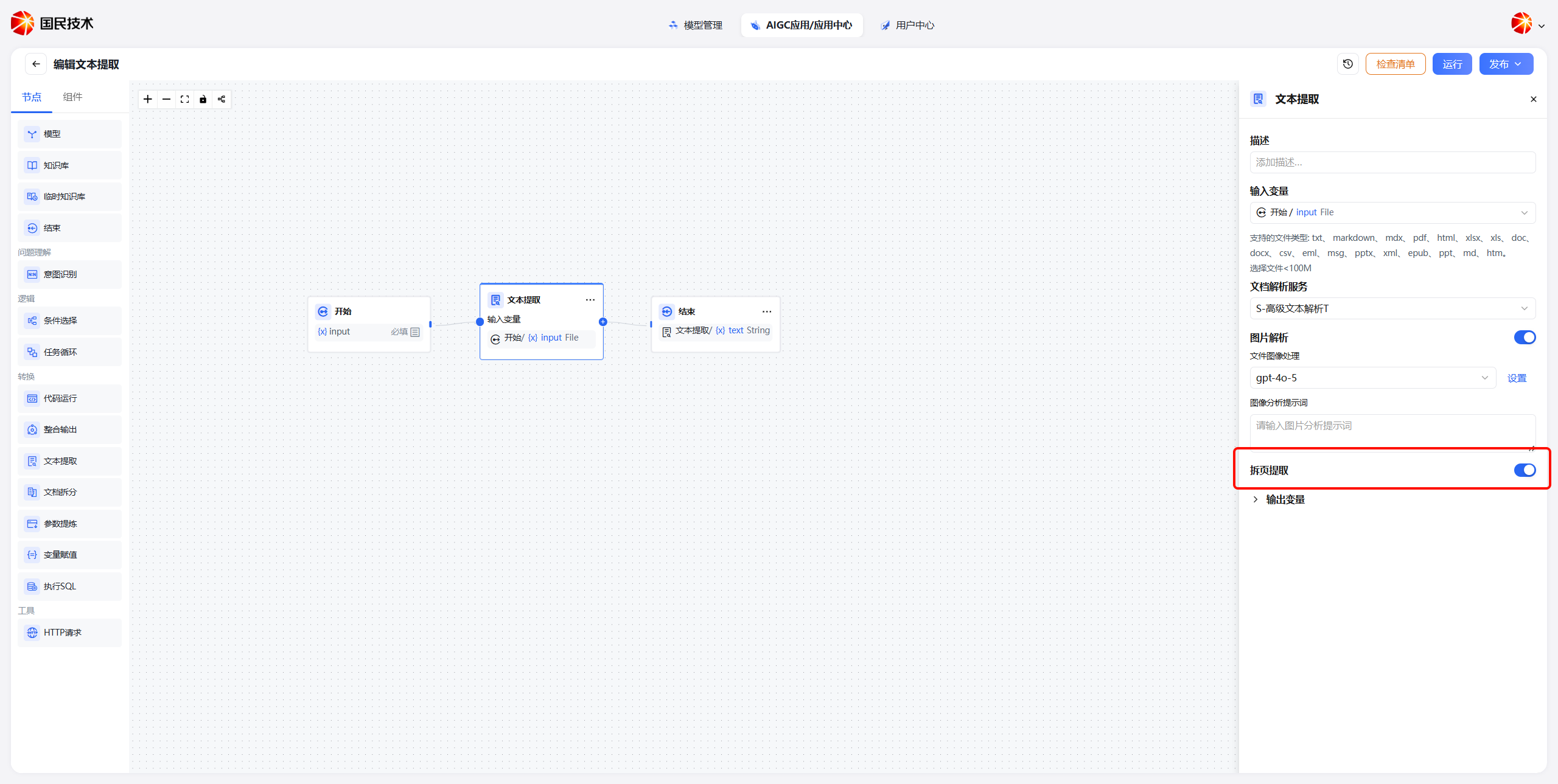
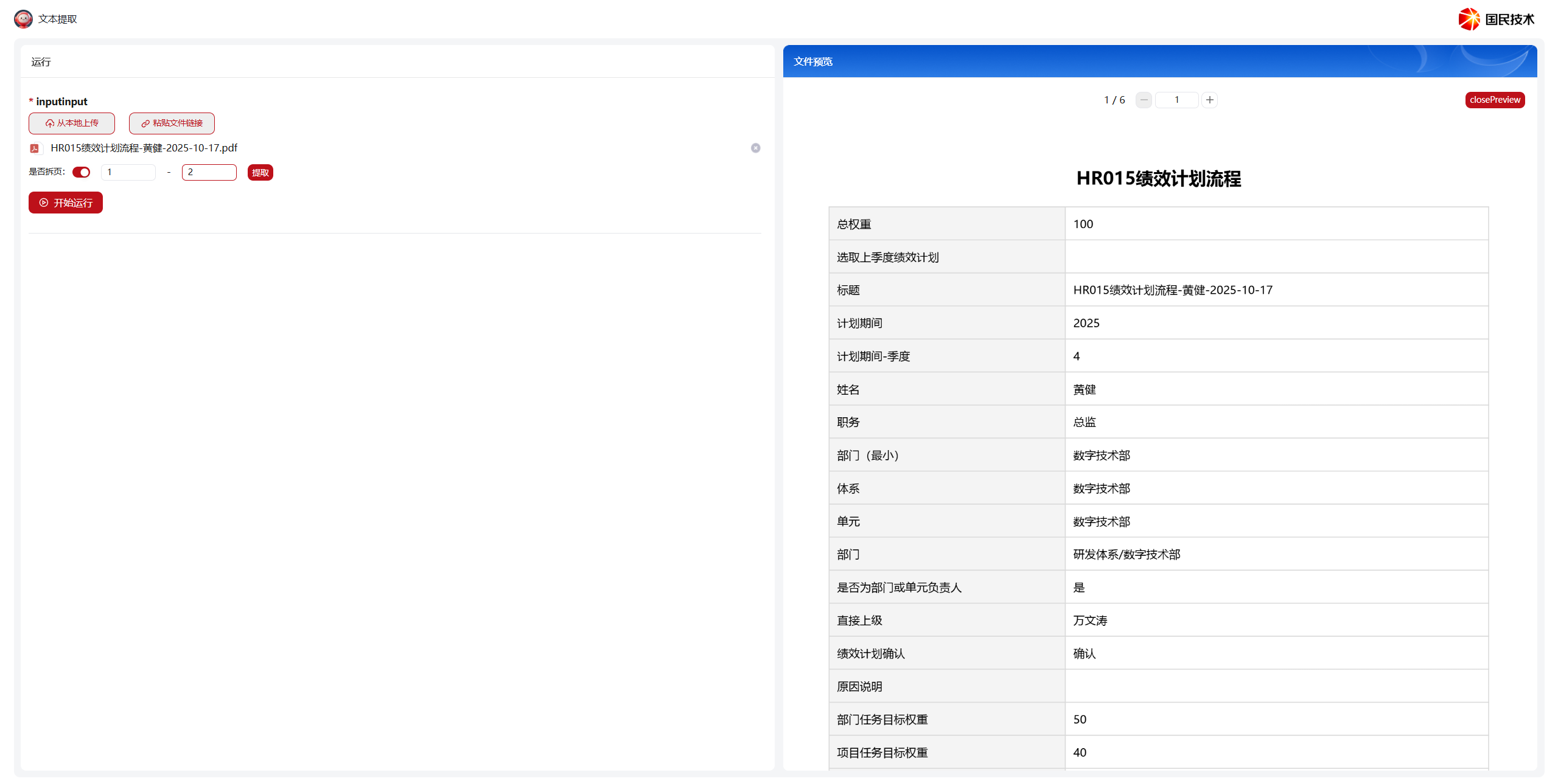
After enabling, click preview when uploading a file to view its content, then enter the start and end page numbers.
Output Variable
The output variable is always named text. The output type depends on the input:
- Input is
File→ output isstring - Input is
Array[File]→ output isarray[string]
Array variables generally need to be used with a Task Loop node.