Intent Recognition Node
Definition
By defining classification categories, the Intent Recognition node uses an LLM to infer which category best matches the user's input, then outputs the classification result to provide more precise information to downstream nodes.
Use Cases
Common scenarios include customer service intent classification, product review classification, and bulk email classification.
In a typical product customer service scenario, Intent Recognition can serve as a pre-step before knowledge base retrieval — classifying the user's question intent and routing it to different knowledge bases for targeted, accurate replies.
The diagram below shows an example workflow template for a customer service scenario:
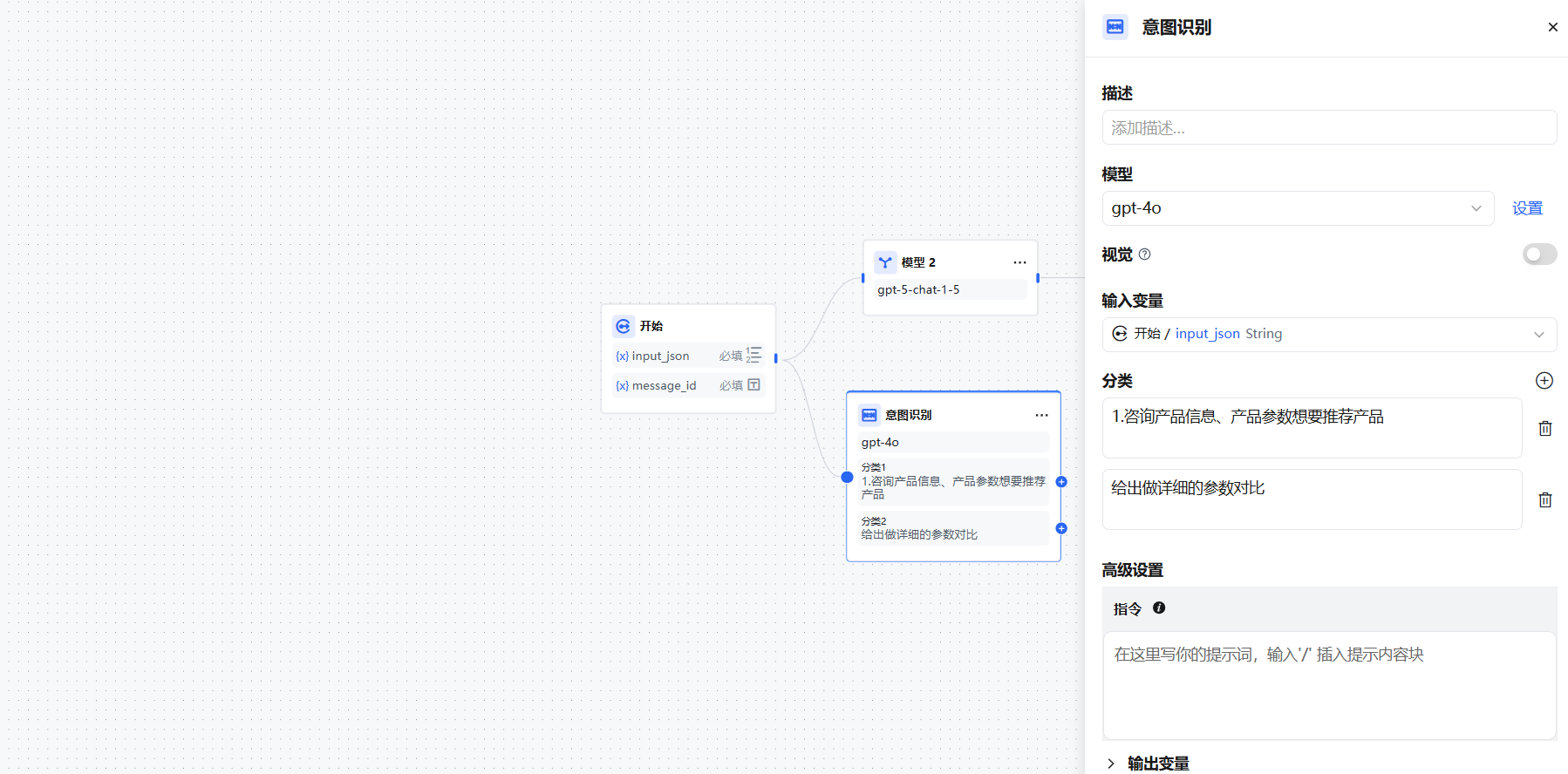
In this example, two classification categories are defined:
1. Inquiring about product information or parameters, wanting a product recommendation
2. Requesting a detailed parameter comparison
When users ask different questions, the classifier automatically assigns them based on the configured labels/descriptions:
- "N32WB BLE product information" → classified as Category 1
- "Compare parameters of N32H474 and N32H473 chip series" → classified as Category 2
Configuring the Node
1. Select the input variable — The content to classify. In customer service scenarios, this is typically the user's question sys.query. Supports file variables.
2. Select the inference model — The Intent Recognition node relies on the LLM's natural language classification and reasoning capabilities. Choosing a more capable model improves classification accuracy.
3. Write classification labels/descriptions — Add multiple categories manually. Write keywords or descriptive sentences for each category to help the LLM understand the classification criteria.
4. Select downstream nodes for each category — After classification, connect each category to the appropriate downstream node to define the subsequent flow path.
Advanced Settings
Instructions — Add supplementary instructions in Advanced Settings → Instructions to provide richer classification criteria and enhance the classifier's accuracy.
Vision — Enabling vision allows the model to accept image input and answer questions based on image content.
Output Variable:
class_name stores the classification model's prediction result. After classification, this variable contains the specific category label, which can be referenced in subsequent nodes to execute the corresponding logic.